Apply with your résumé on PingWork
For jobs that support PingWork applications, sign in and save a resume in the current language first.
Steps
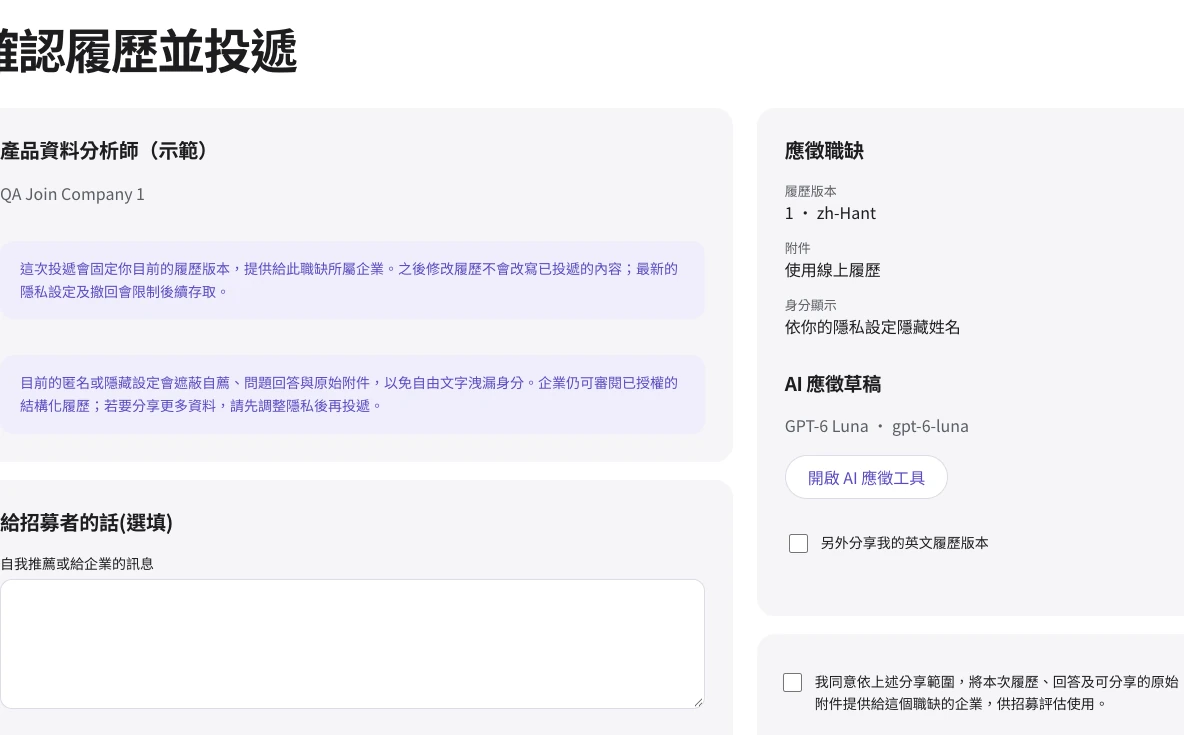
- Select “Apply for this role” on the job details page. Check the employer, résumé version, attachments, and sharing scope.
 View full size
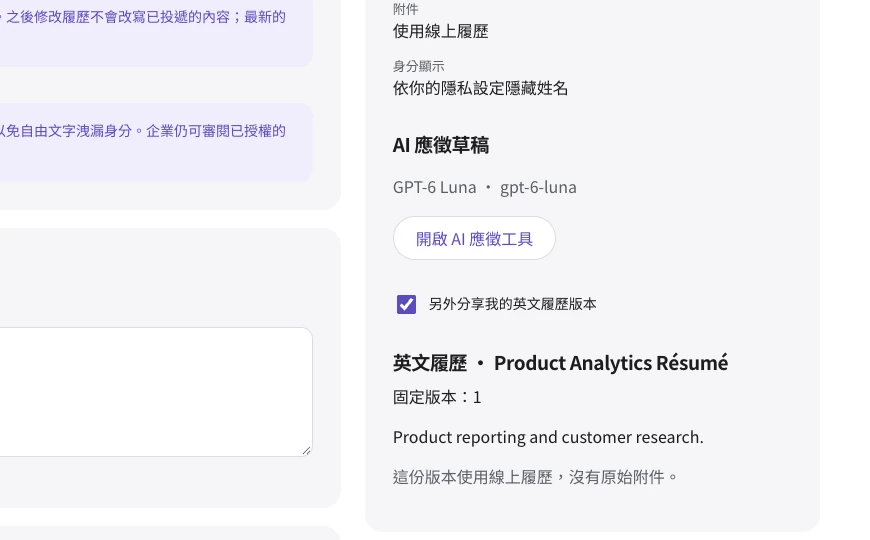
Example · In “Review and submit your application,” check the employer, pinned résumé version, attachment, and sharing scope. - Answer the required questions. If you add an existing résumé in another language, preview that version and confirm sharing again.
 View full size
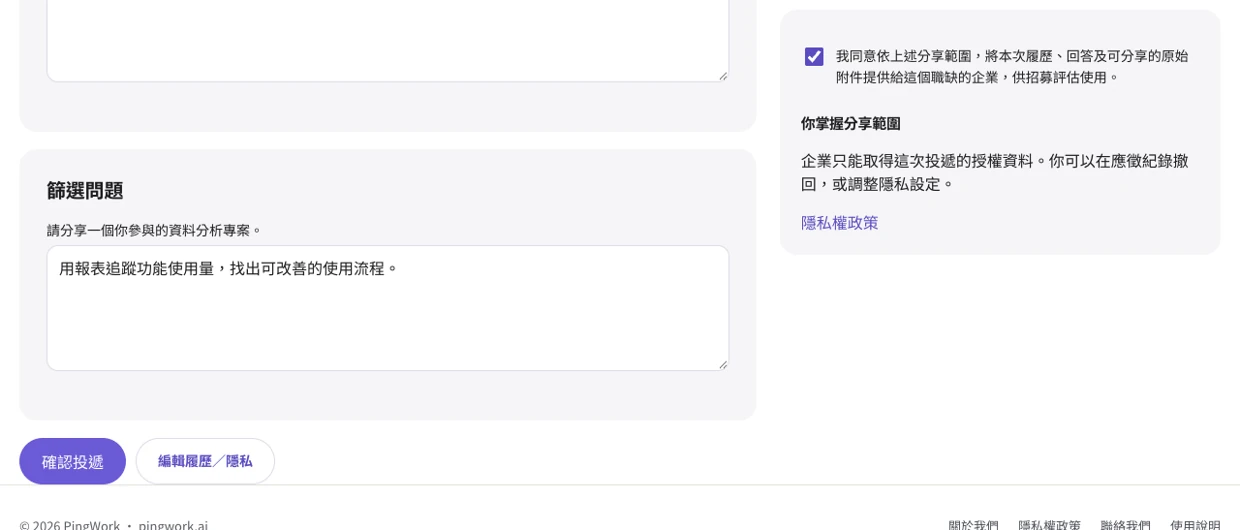
Example · Complete the required questions. If you add the English résumé, wait for its preview and check the selected version. - Accept the required sharing consent and select “Submit application.” If a version has changed, review the latest information and sharing scope before submitting.
 View full size
Example · After reviewing the résumé versions and attachments, check sharing consent and choose “Submit application.”
Check the result
After submitting, open “My application receipt.” You can return to it from “My applications.”