Apply on the employer’s site or check the original posting
If a posting sends you to an employer’s website, submit your application and check its progress there.
Steps
- If the listing says “Company-site job” or offers an employer website button, open it and check the domain, title, location, and current requirements.
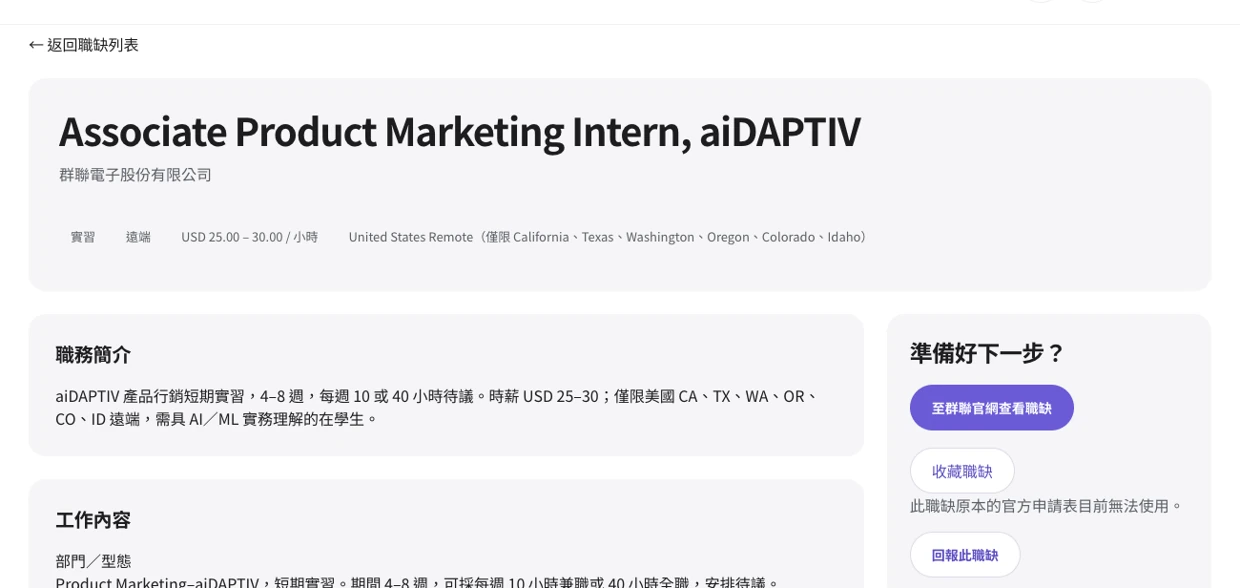 View full size
Check the title and location in the job details. The Phison button at right leads to the employer’s site. - If the Phison aiDAPTIV internship says the original form is unavailable, open Phison’s official Careers directory and check for a new link to the same role.
 View full size
If the original form is unavailable, choose “Check openings on Phison’s website.” Check Phison Careers for a matching opening.
Check the result
If the original opening is still accepting applications, look for confirmation from the employer’s application form or notifications.