Download your data or request a correction or account closure
Use “My requests & support cases” to export available data or request help from a reviewer.
Steps
- Select “Export my data,” choose a data section and page, and download that page.
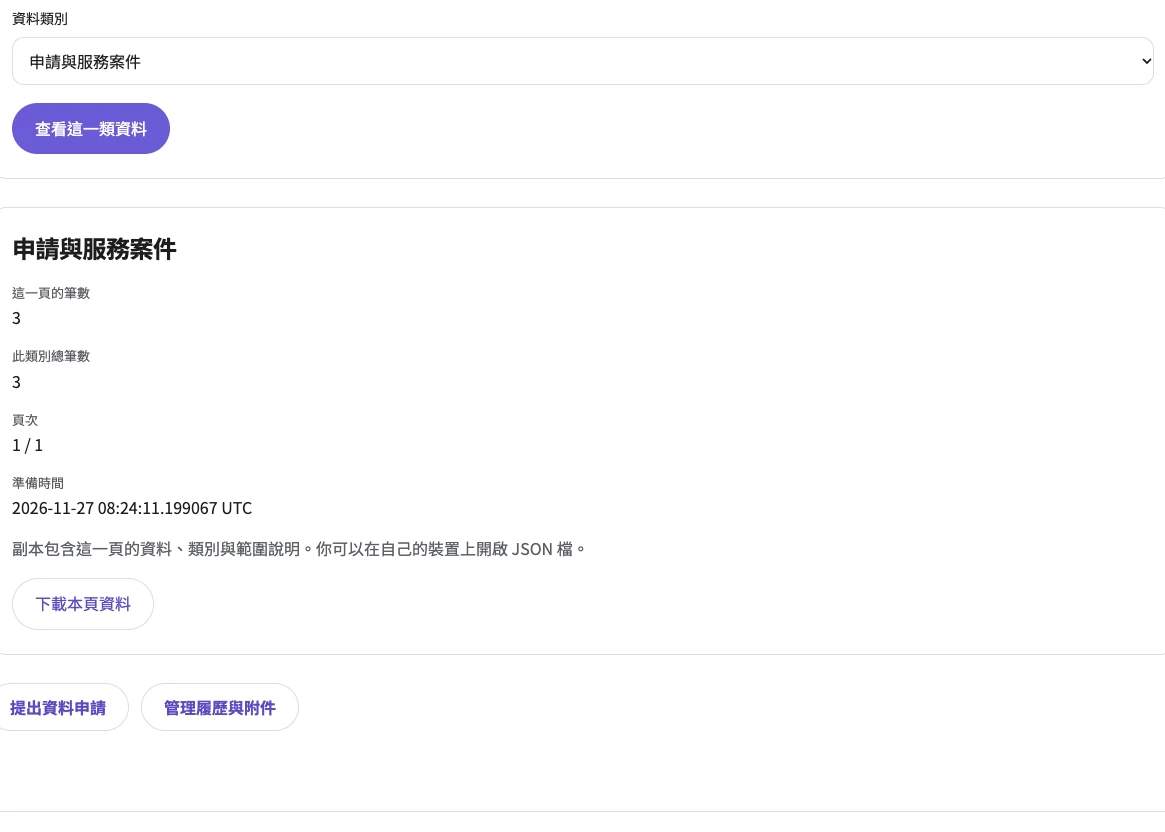 View full size
Example · Choose a data section, check the page number, and select “Download this page.” - For access, another copy, correction, or a stop to data use, select “New request” and “Data request” and describe what you need.
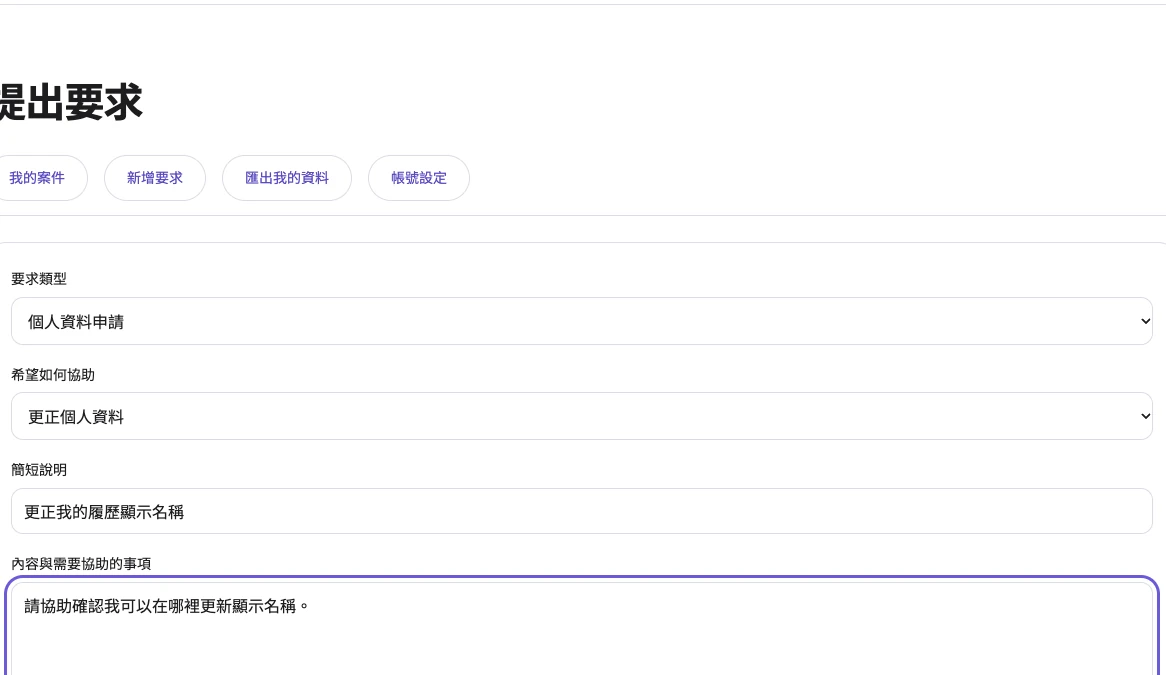 View full size
Example · Select “Data request,” then choose the help you need in the action field. - To request PingWork closure, select that request type, review and confirm the scope, and track the case after submitting.
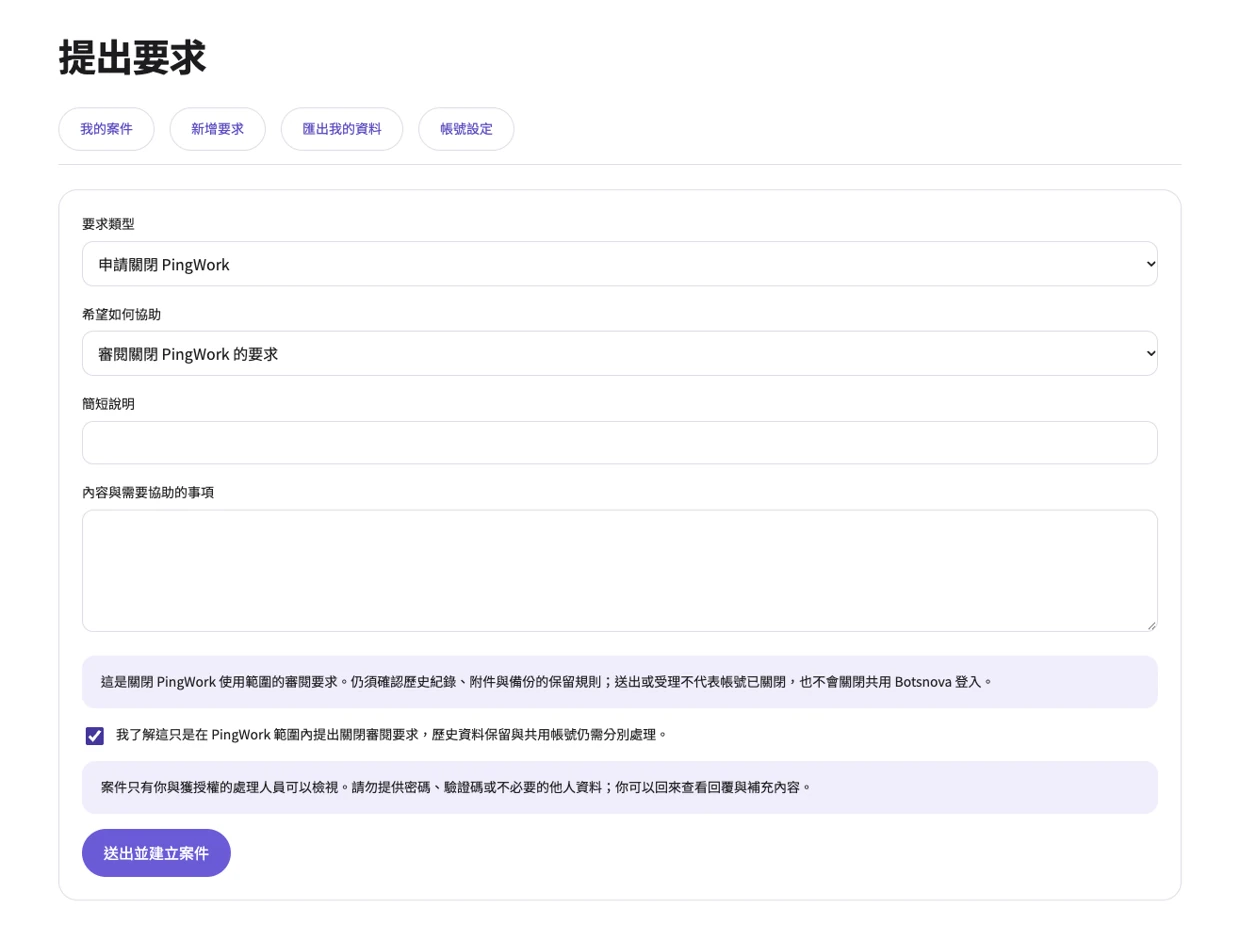 View full size
Example · Choose “Request PingWork closure,” review retention and shared-account scope, then confirm and submit for manual review.
Check the result
You can download the selected data page or receive a case ID for follow-up.