Contact support, report an issue, or read replies
Sign in and use “My requests & support cases” to create and track a case.
Steps
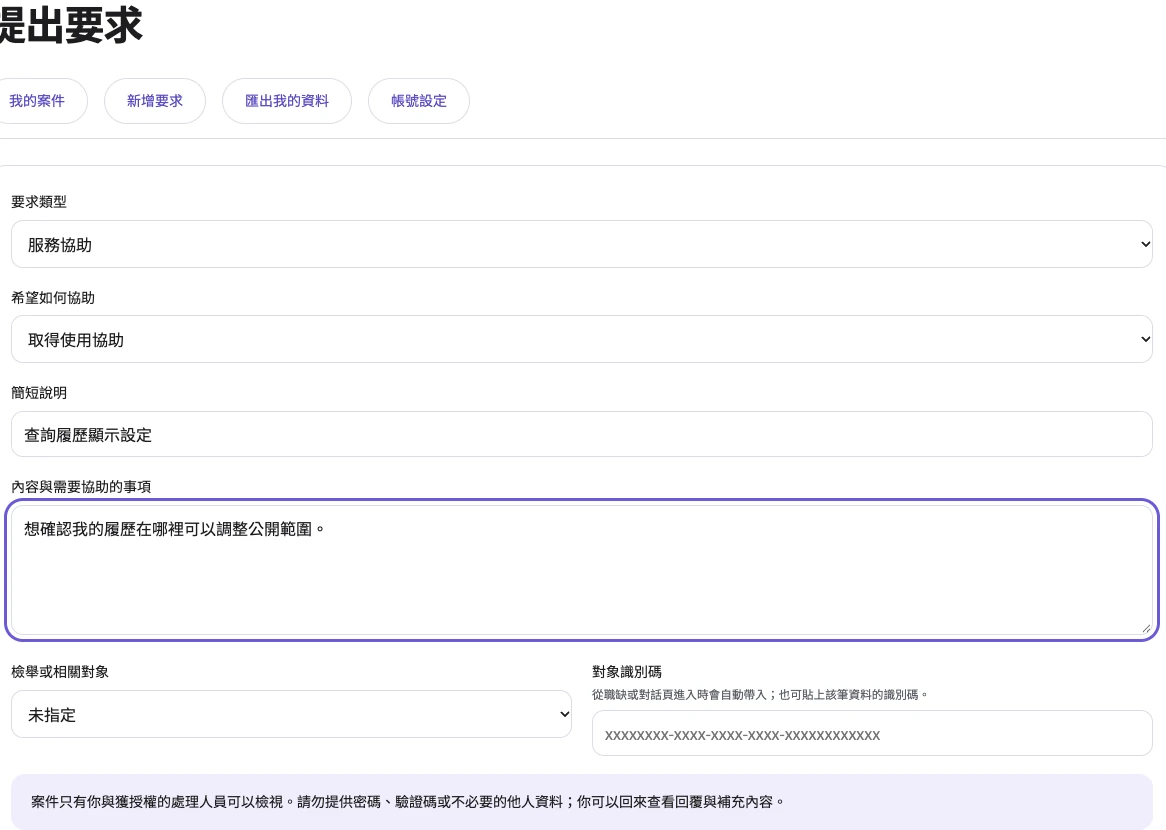
- Select “New request,” then “Support” or “Report a concern.” Fill in the subject, details, and any required target.
 View full size
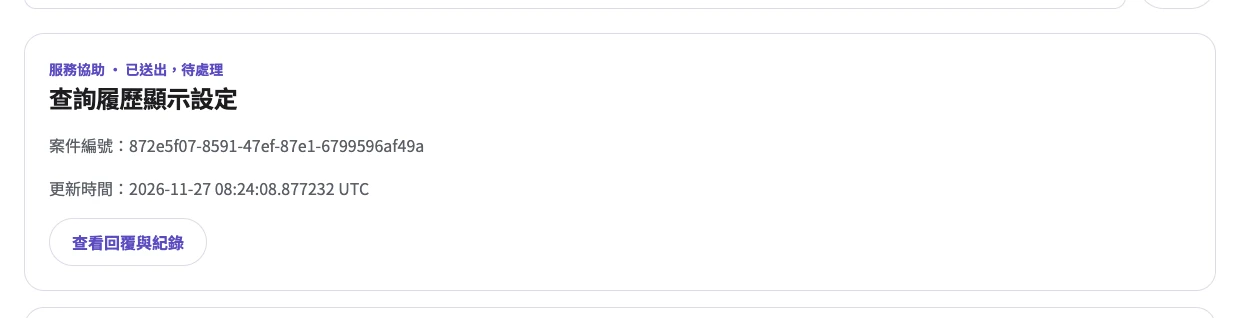
Example · Choose “Support” on the new request form and enter a subject and details. - Keep the case ID after submitting. Open the case from “My cases” to see its status and replies.
 View full size
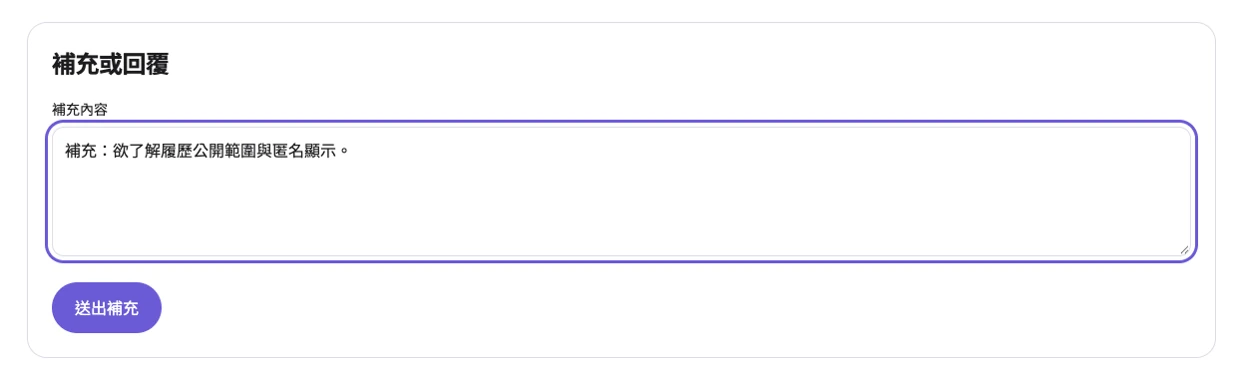
Example · “My cases” lists the case ID and status. Use “View replies & history” to reopen the same request. - Use “Add information or reply” to follow up while the case is open.
 View full size
Example · Add follow-up information under “Add information or reply,” then select “Send follow-up.”
Check the result
Case details retain the original submission and follow-up history.