Check application progress and hiring decisions
Use “My applications” to check jobs you applied for on PingWork.
Steps
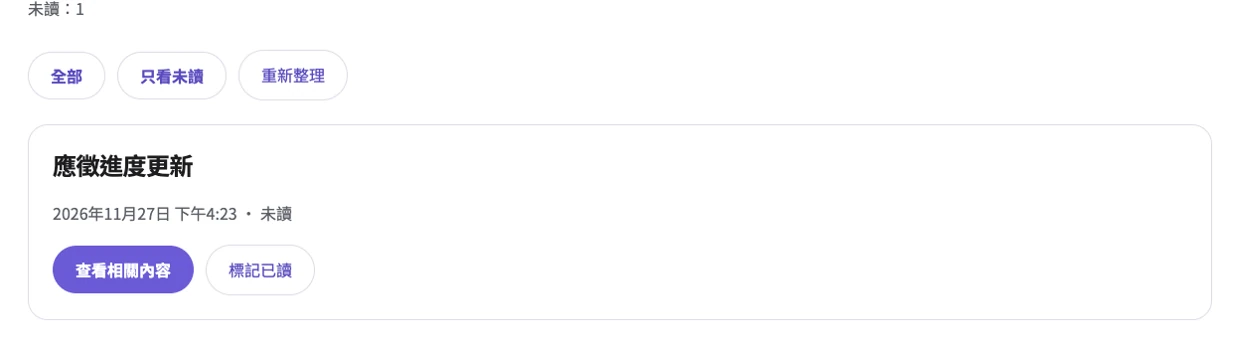
- Sign in and open “My applications.” Check the employer and job title. You can also open the receipt from an “Application progress updated” notification.
 View full size
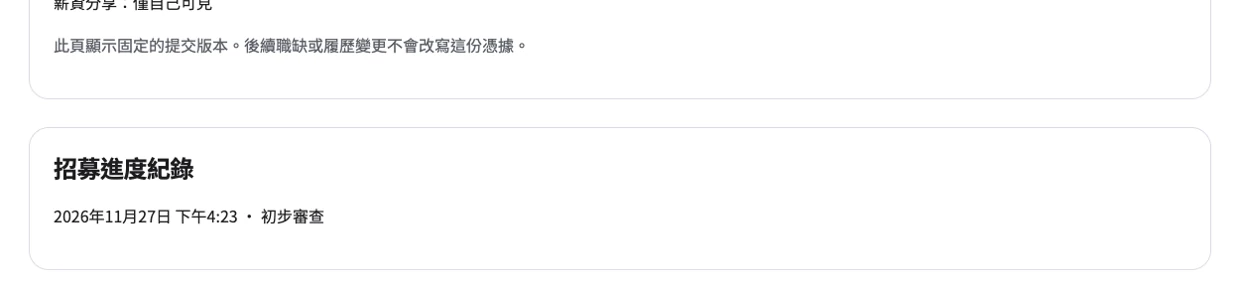
Example · “Application progress updated” in Notifications links to the same submission receipt. - Select “View submission receipt” and check “Hiring progress history” for each stage and its date.
 View full size
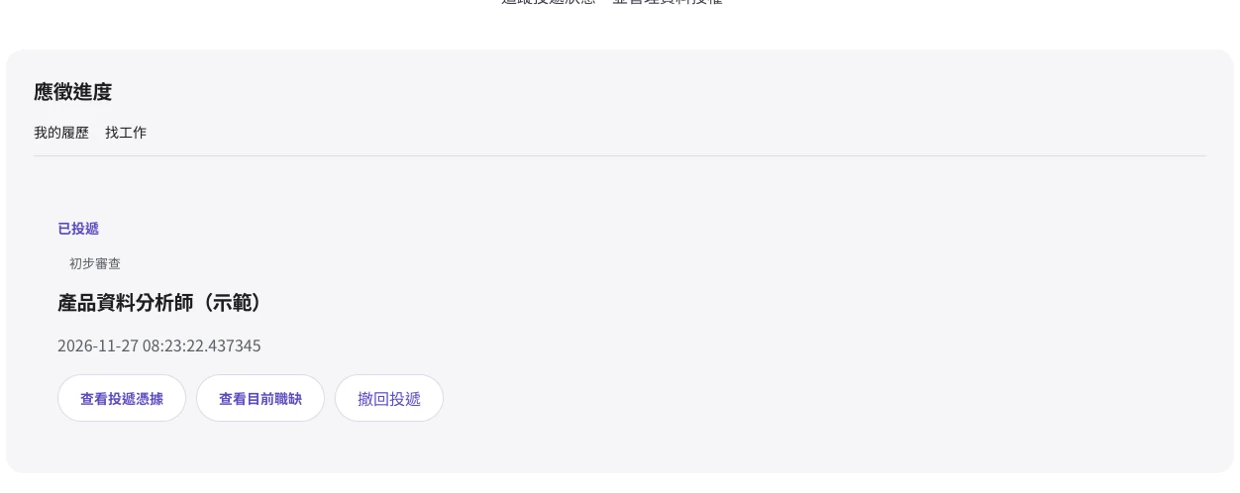
Example · Scroll to “Hiring progress history” for the stage and timestamp of each update. - “Submitted” confirms delivery. The company’s hiring stage appears separately, such as “Second interview,” “Offer,” “Hired,” or “Rejected.”
 View full size
Example · The application card lists “Submitted” and the employer’s hiring stage separately. This example is in screening.
Check the result
When the employer updates the stage, the same receipt shows the new entry.