Apply to become an expert and track review
Members can save an application draft. Submission requires the applicable published documents in the same language, and profile publication requires review.
Steps
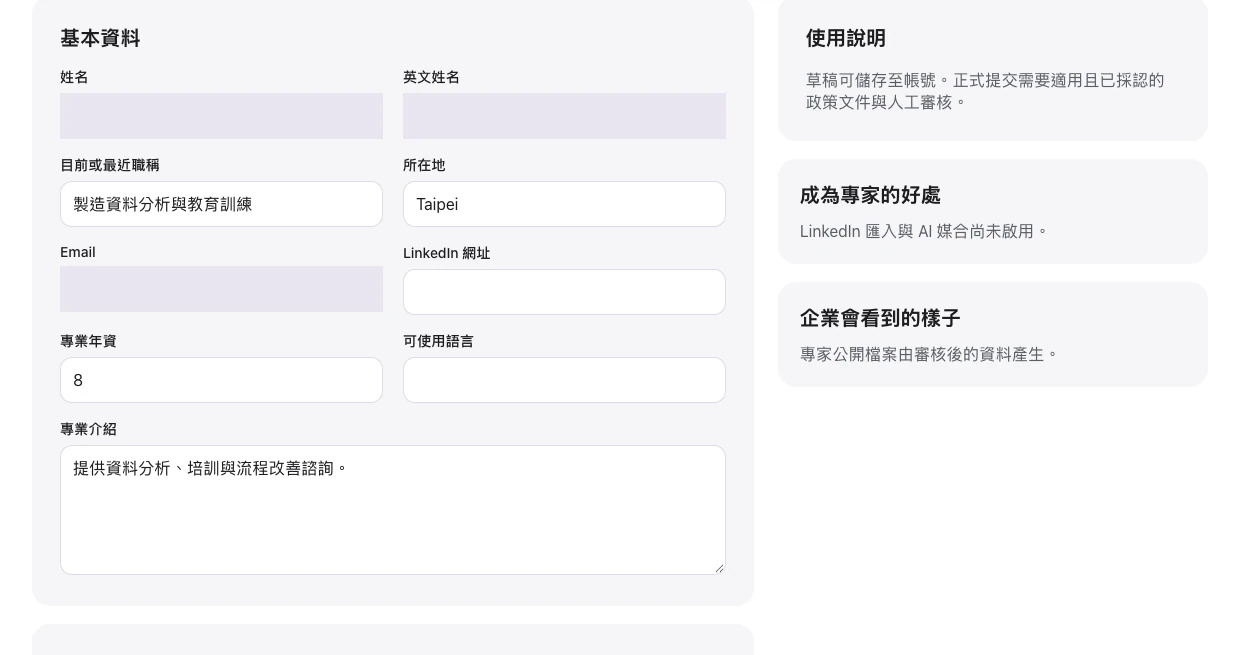
- Open Become an expert from Expert Services. Sign in, fill in the background, expertise, services, and experience fields shown, then save and reopen the draft.
 View full size
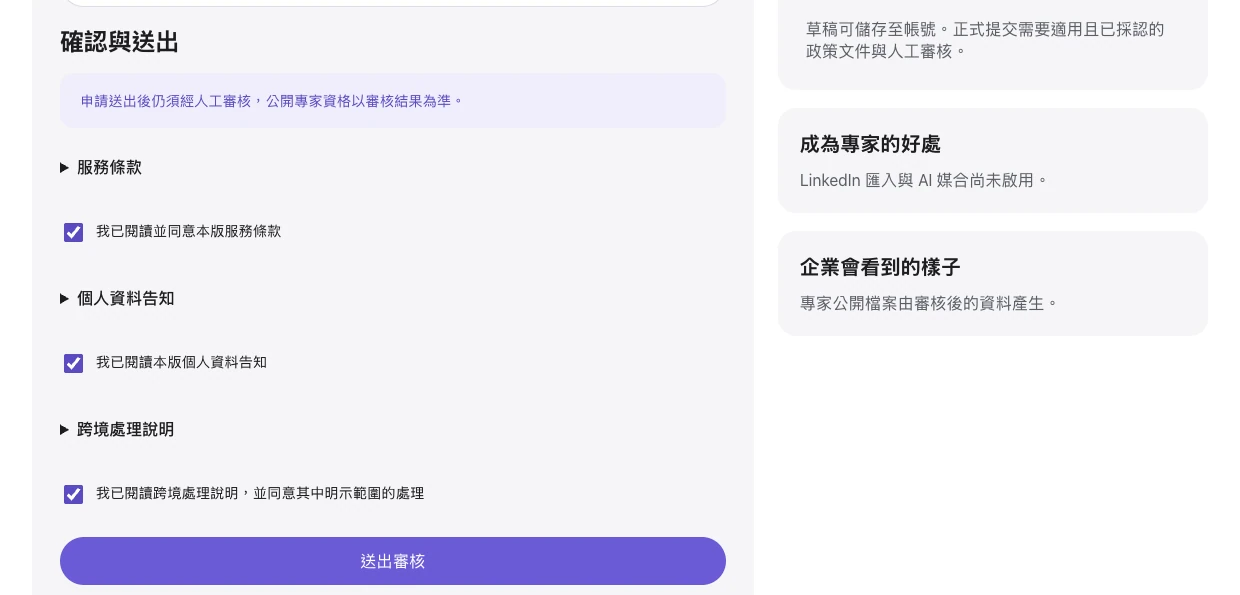
Example · Fill in your background and introduction under “Become an expert.” Reopen the saved draft to continue editing. - When submission is enabled, read the Terms, Privacy Policy, and applicable cross-border service document in the current language, then follow the form’s confirmation prompts.
 View full size
Example · Review and confirm all three documents individually under “Review & submit,” then submit for review. - Keep the confirmation or case reference and track it from the same account. If a reviewer requests more information, follow the case instructions.
 View full size
Example · Reopen “Expert application progress” to check the status of the same application.
Check the result
Track the review after submitting. If policies are pending, you can return to your saved draft.