Track cases and review outcomes
Company and event owners manage their own organizations. Platform-level actions such as claims, expert review, quotes, and policy publication require the relevant PingWork staff permissions.
Steps
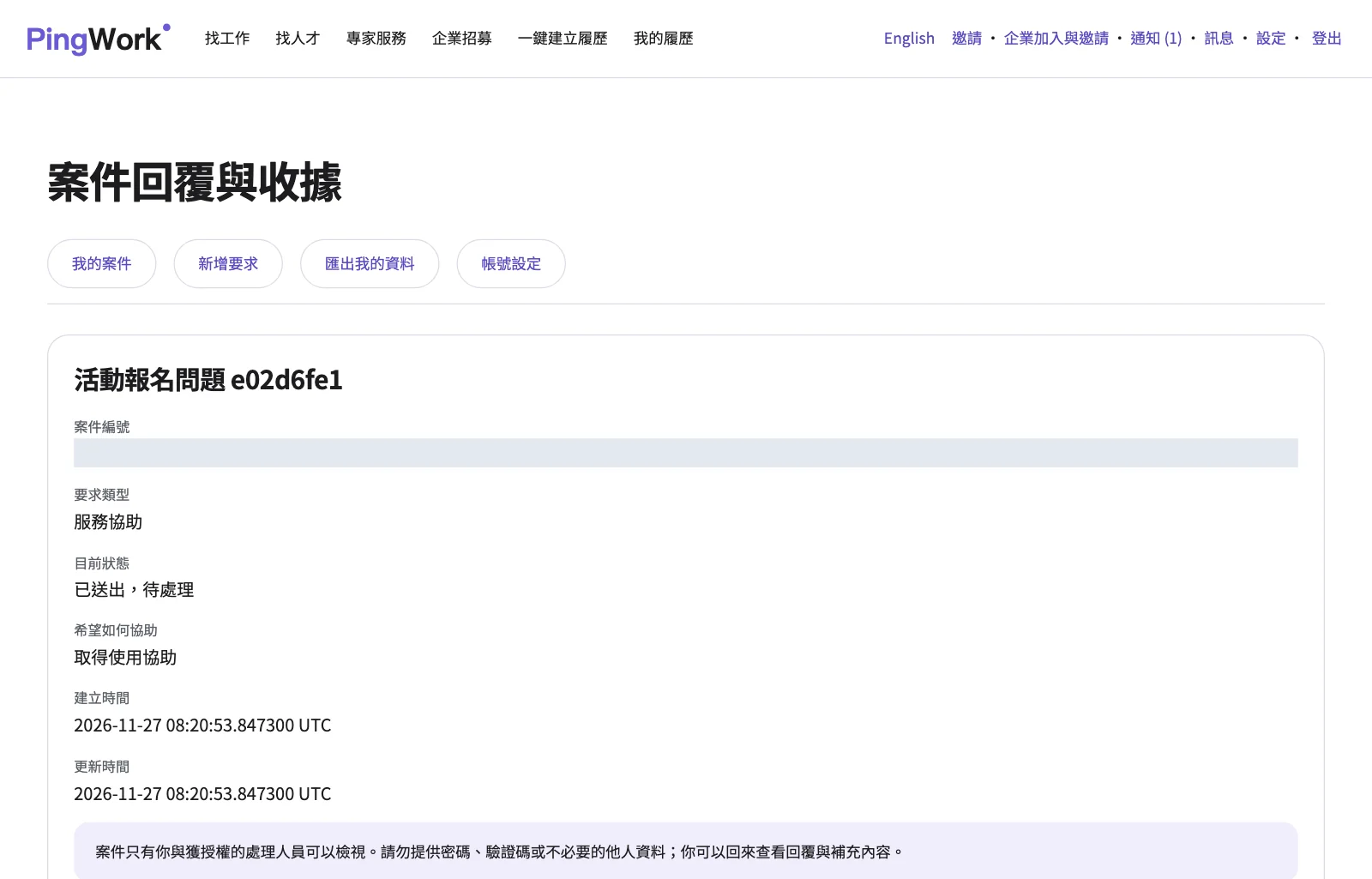
- Open the original request or case and check its reference number, company, language, and current status.
 View full size
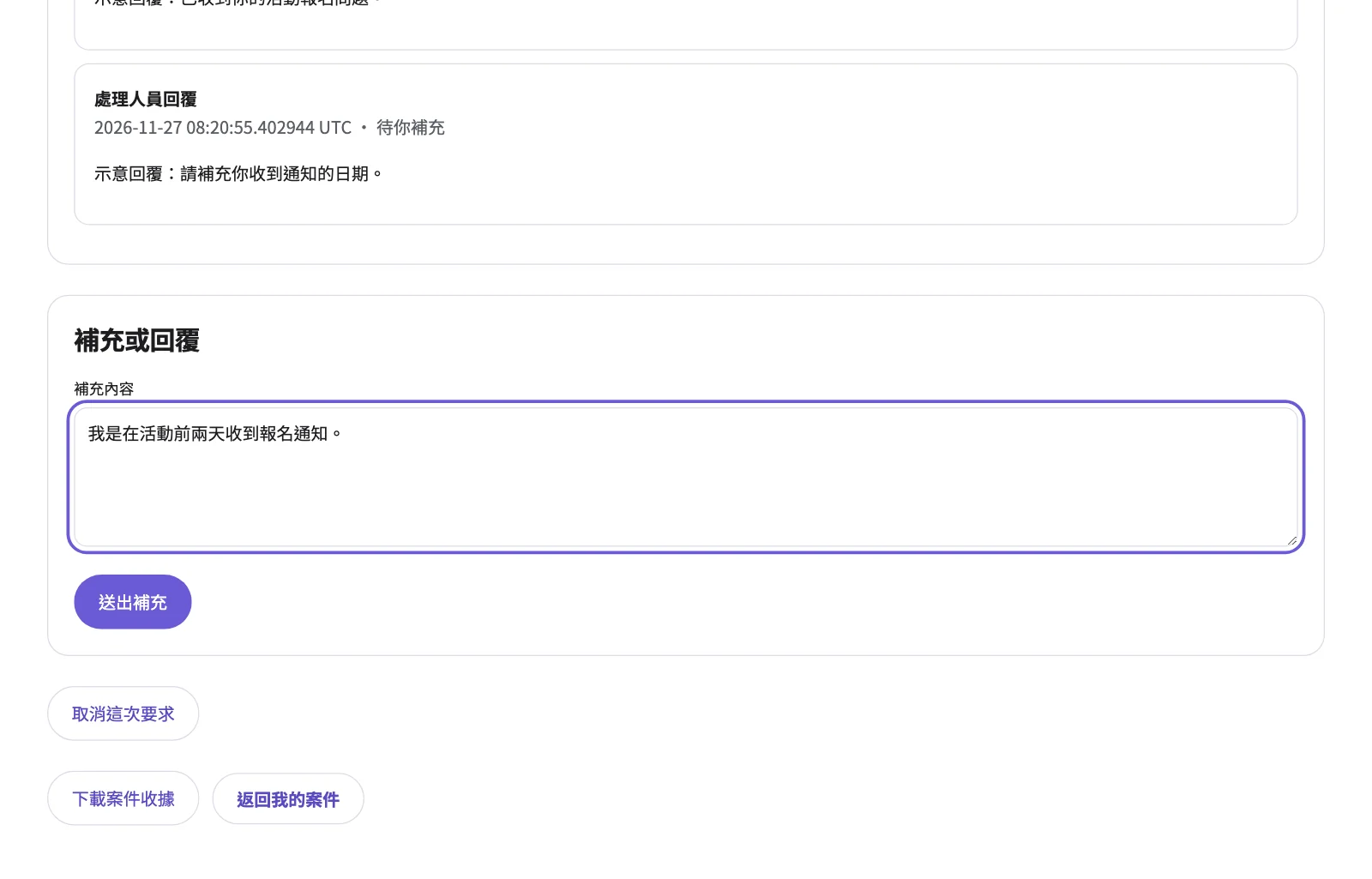
Example · Check the subject, reference and current status on the original case receipt. - If more information is requested, reply in the original case. Staff with review access can continue working from that record.
 View full size
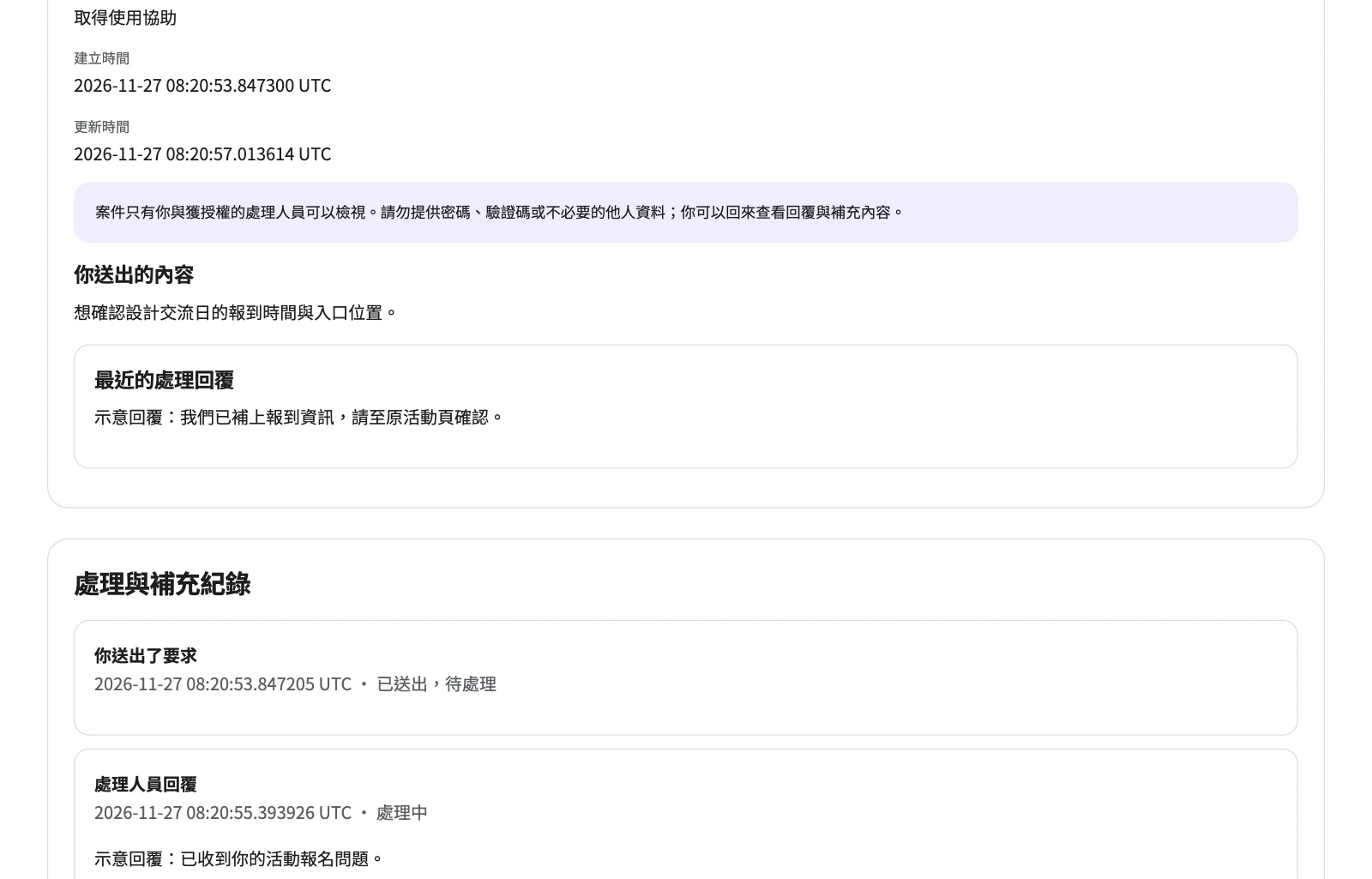
Example · When the case is awaiting information from you, reply in the original case. - After receiving a decision, check the reply in the original case. If it affects a public company or event listing, check that page as well.
 View full size
Example · The same case records the decision, your reply and the final status. The response shown is illustrative.
Check the result
The original case shows the submission, any follow-up information, and the outcome.