Add event ticket types and promo codes
Tickets and coupons belong to the event you select.
Steps
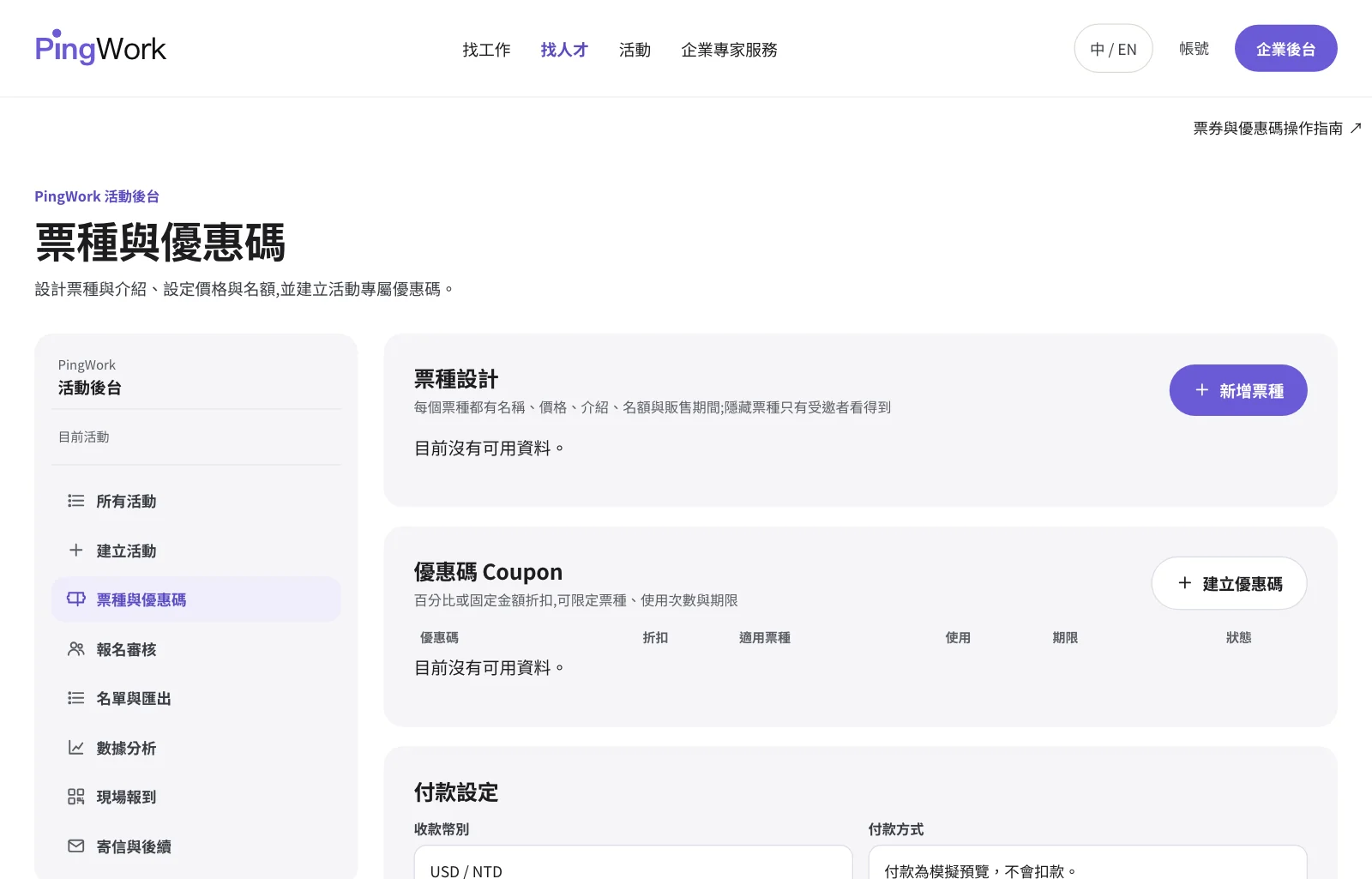
- From All events, open Tickets & coupons for the intended event. Check the organization and event name.
 View full size
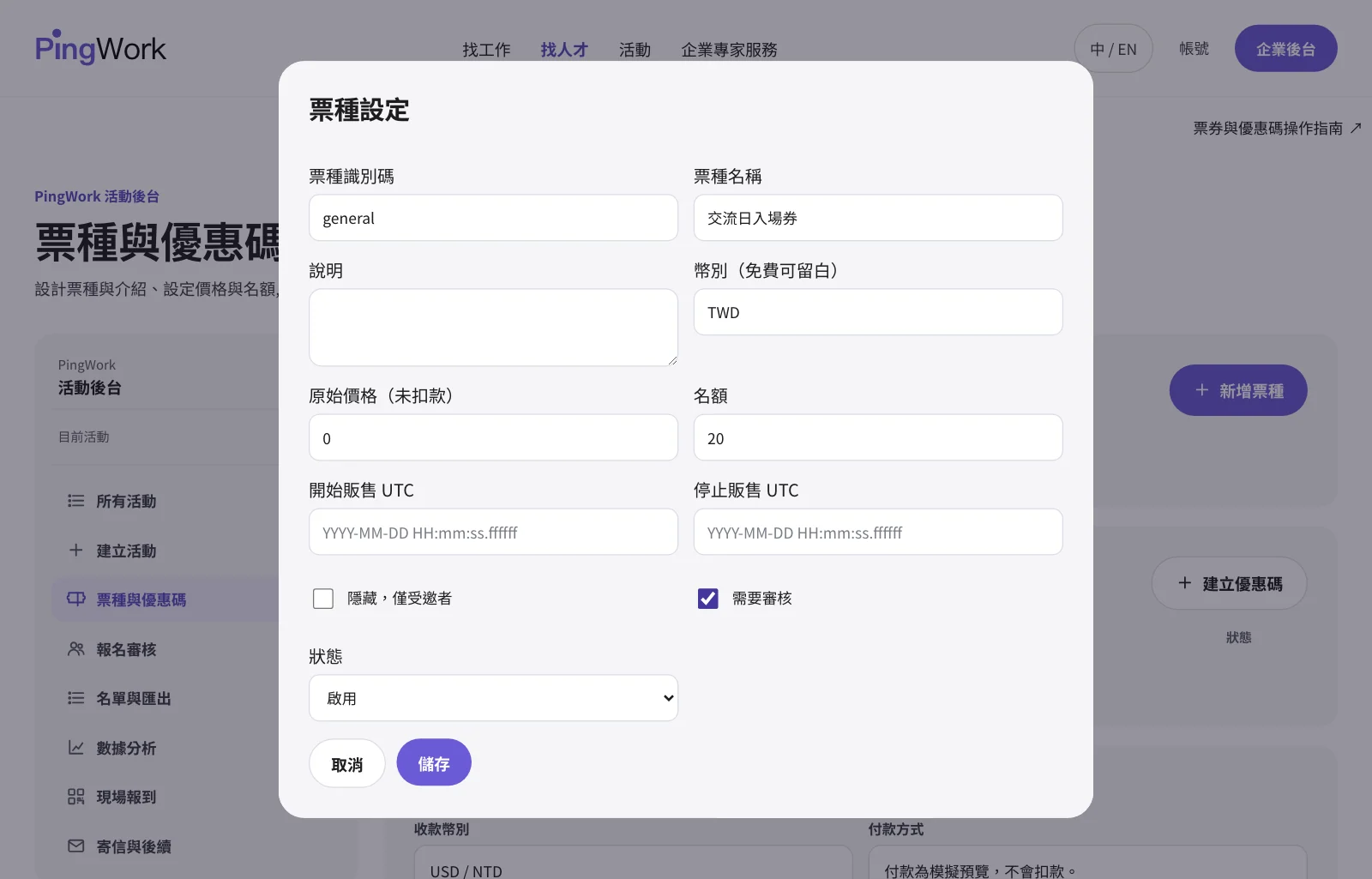
Example · Open Tickets & coupons in the event workspace and check the current event. - Add or edit a ticket. Enter its code, name, price and capacity, set approval if required, then save.
 View full size
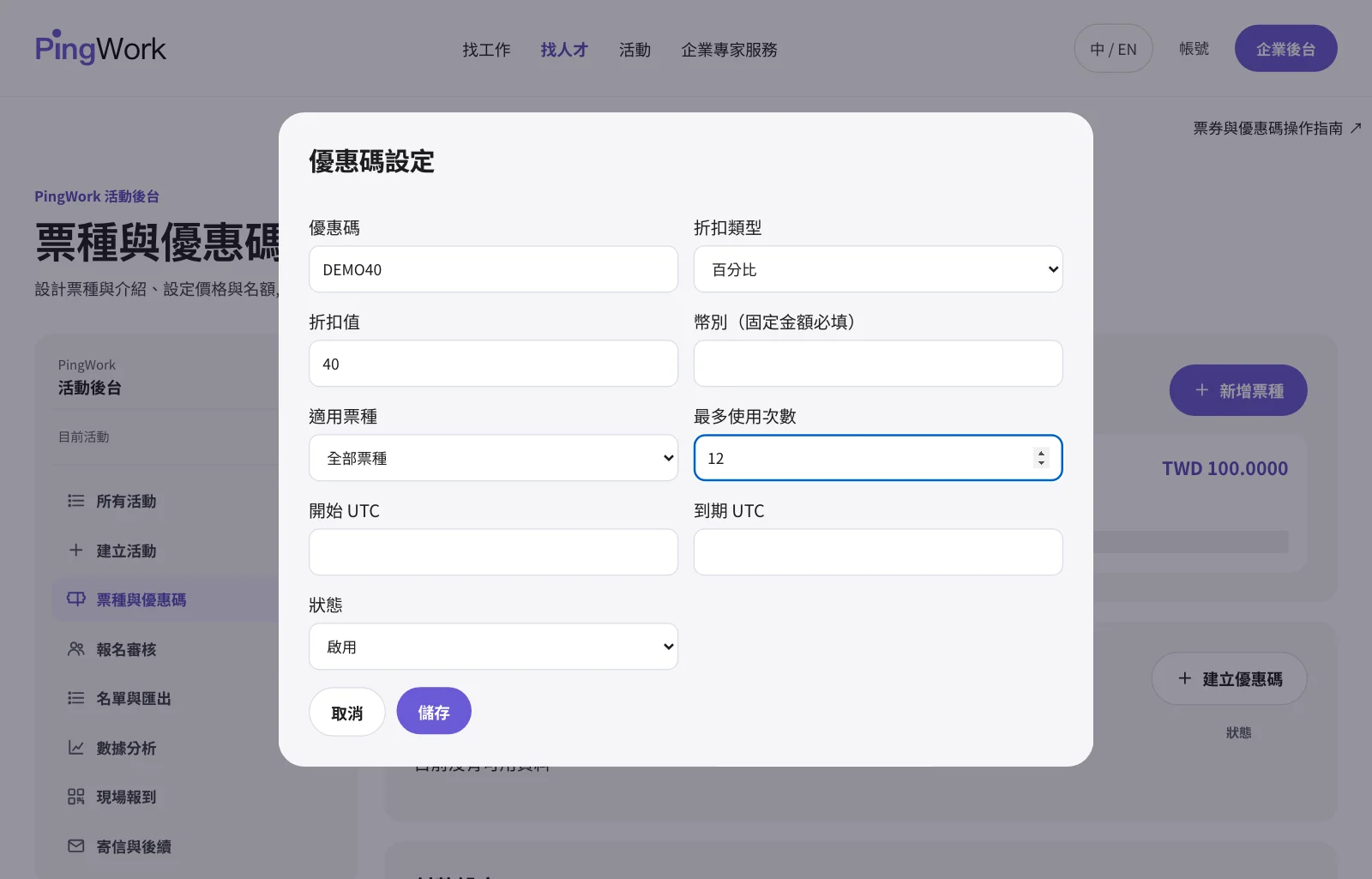
Example · Ticket settings include the code, name, price, capacity and approval toggle. - For a discount, enter the code, discount type and value in Coupon settings. Save, then check the quote on the registration page.
 View full size
Example · Set the coupon’s discount type, amount and eligible ticket.
Check the result
Registration shows available tickets. A validated coupon updates the balance.