Review registrations and export the attendee list
Select the same event when moving between approvals and the attendee roster.
Steps
- Open Approvals for the event. Review the applicant, ticket, answers and consent choices.
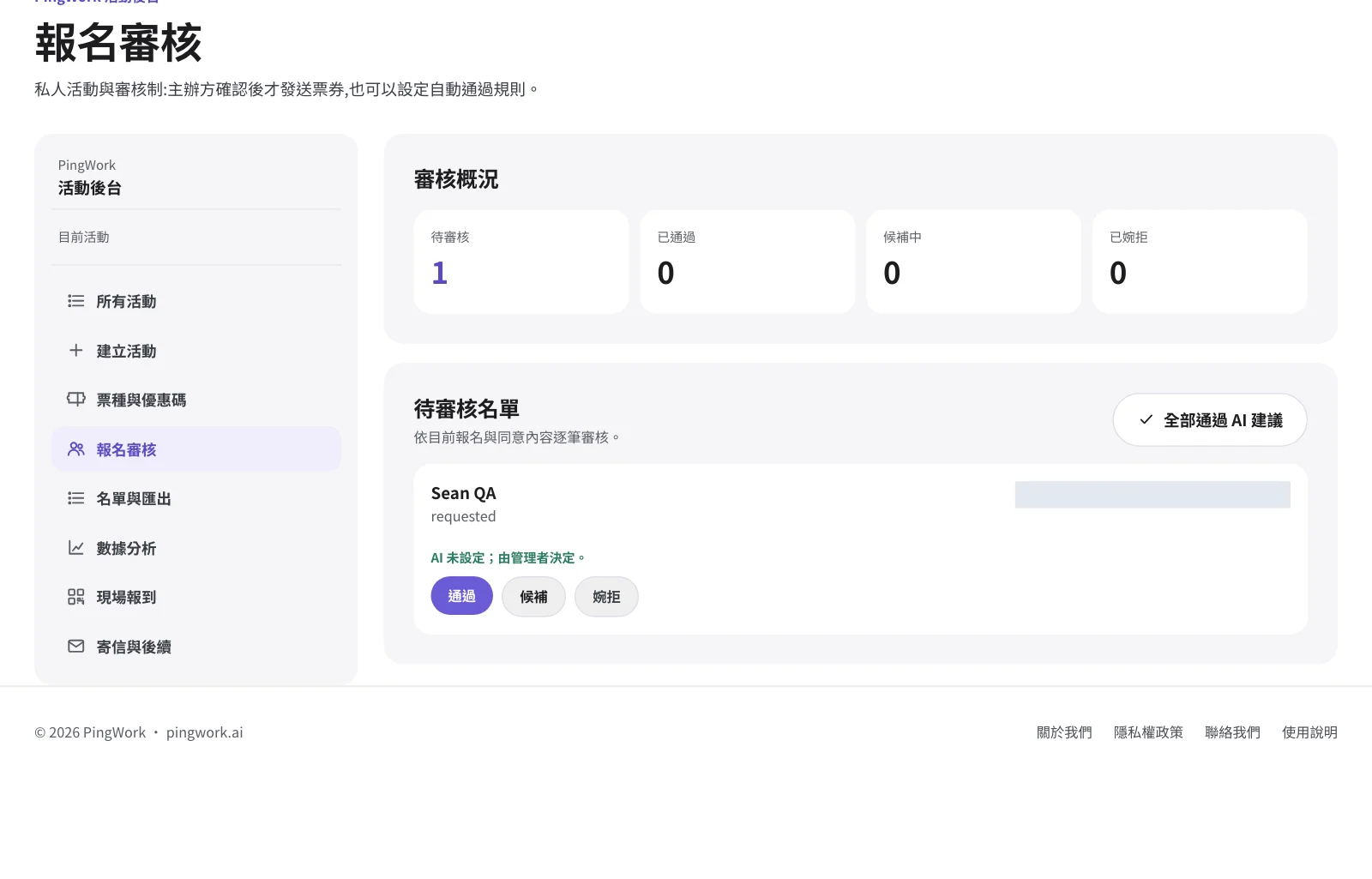 View full size
Example · Review requests in the selected event’s approval queue before choosing an individual action. - Approve or decline the individual request. Wait for the result and verify the new status in the roster.
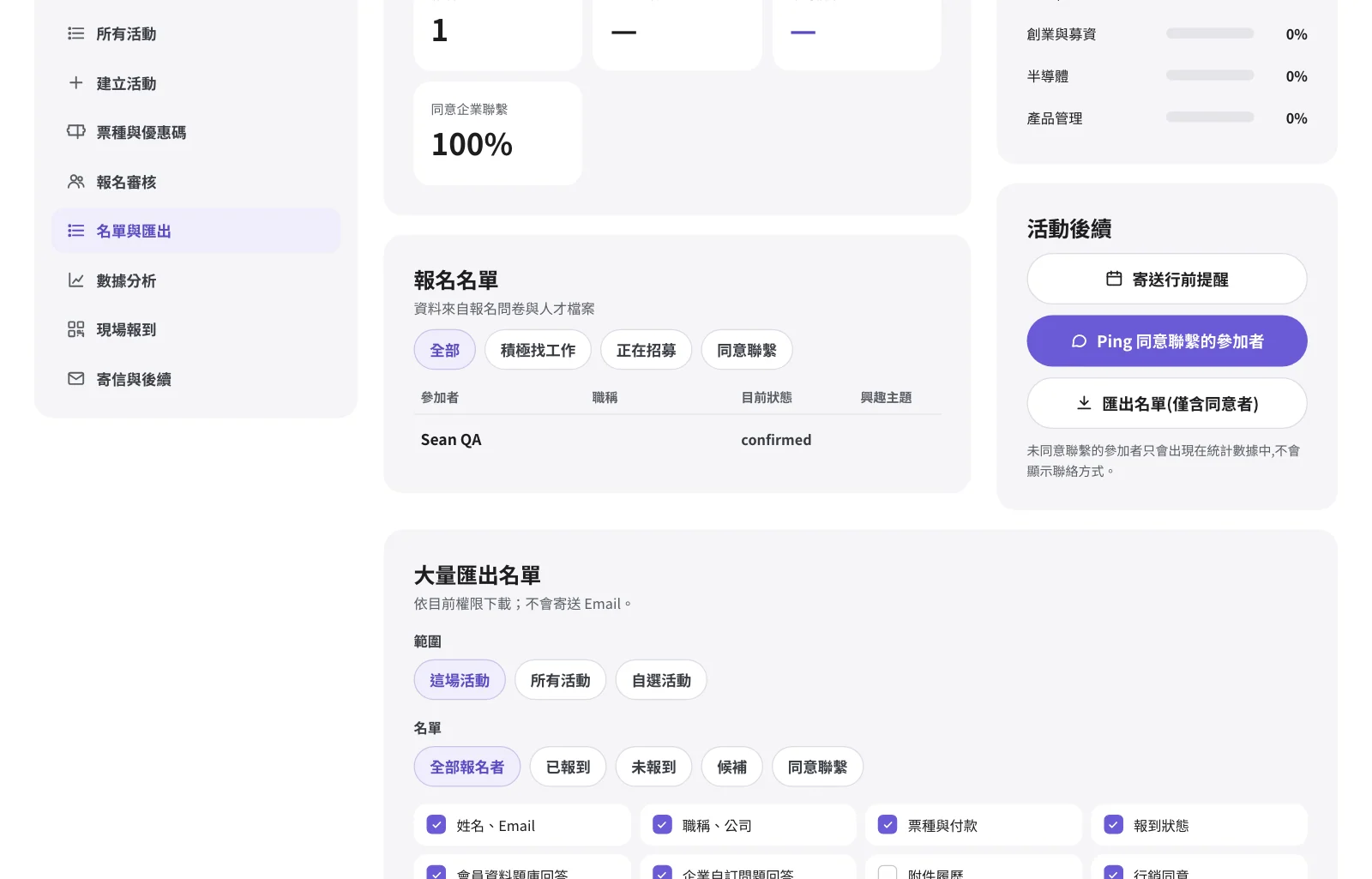 View full size
Example · Return to the attendee roster and verify the registration’s updated status. - For a file, open Registrants & export. Select the event and scope, then choose Export current records.
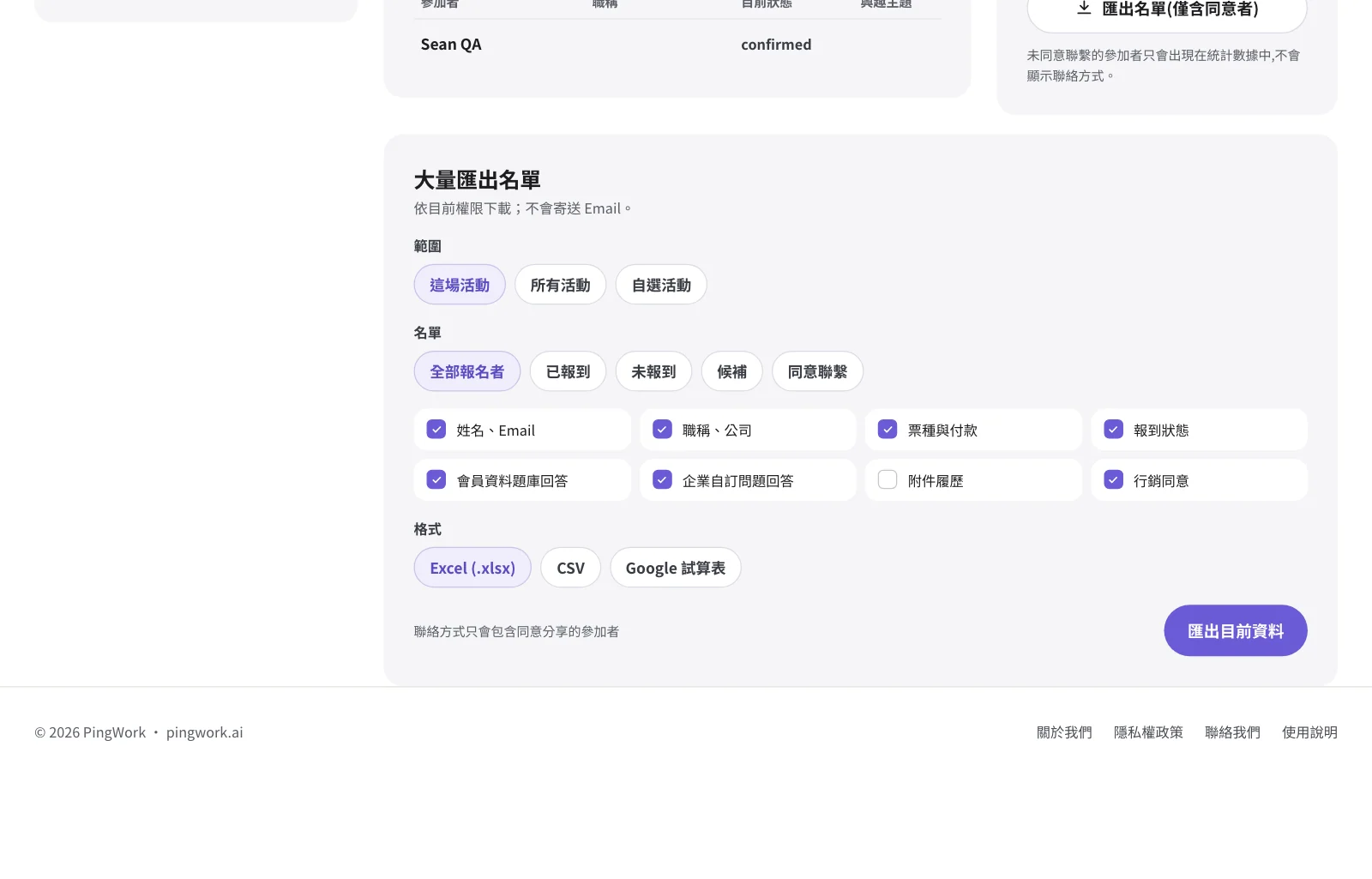 View full size
Example · Choose the export scope and format, then use Export.
Check the result
An approved attendee with a confirmed seat can retrieve the ticket from the original receipt. The export uses the selected event and scope.