Create an account with an invitation
PingWork is invitation-only. Have your invitation link or code ready.
Steps
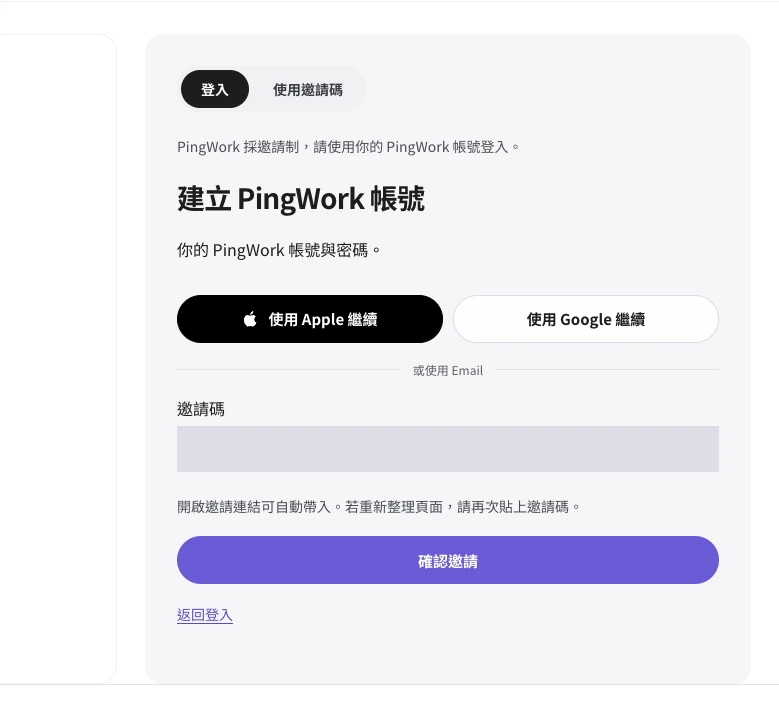
- Open the invitation link, or paste the code and select “Check invitation”.
 View full size
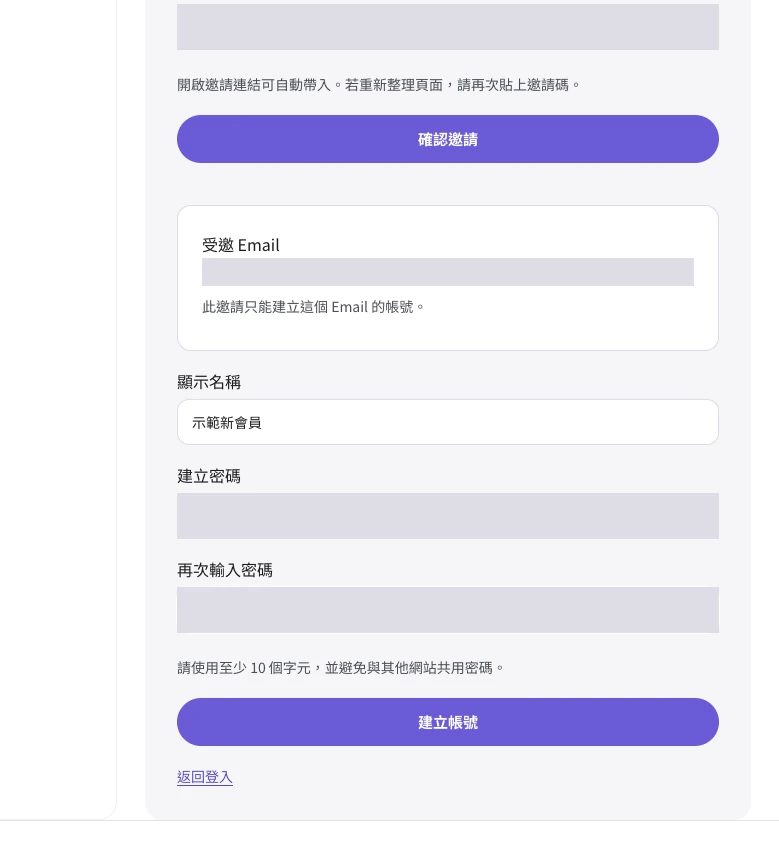
Example · On the account creation page, paste your code and choose “Check invitation.” - Check the invited email shown, enter your display name, and enter a password of at least 10 characters twice.
 View full size
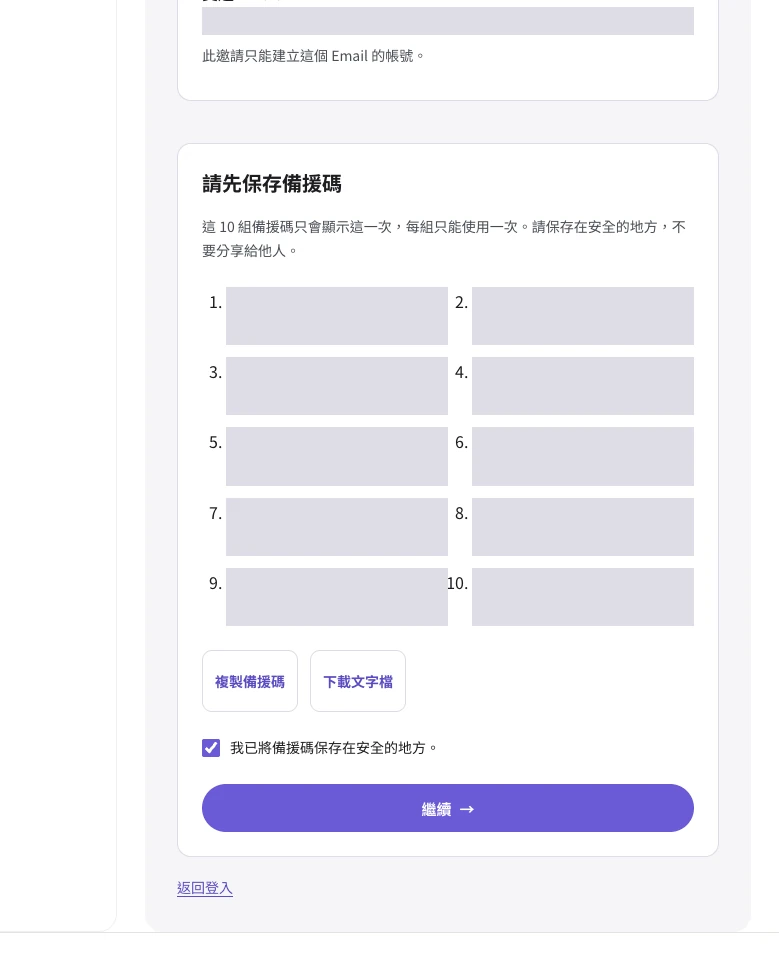
Example · After validating the invitation, check the invited email and enter your display name and password twice. The email is obscured here. - Copy or download the 10 recovery codes, store them safely, and confirm you have saved them before continuing.
 View full size
Example · Copy the recovery codes or download the text file, confirm safe storage, then continue. The codes are obscured here.
Check the result
You can sign in with the invited email and your new PingWork password.