Edit or print your résumé and manage sharing
Use My profile to manage the resume and privacy settings for your signed-in account.
Steps
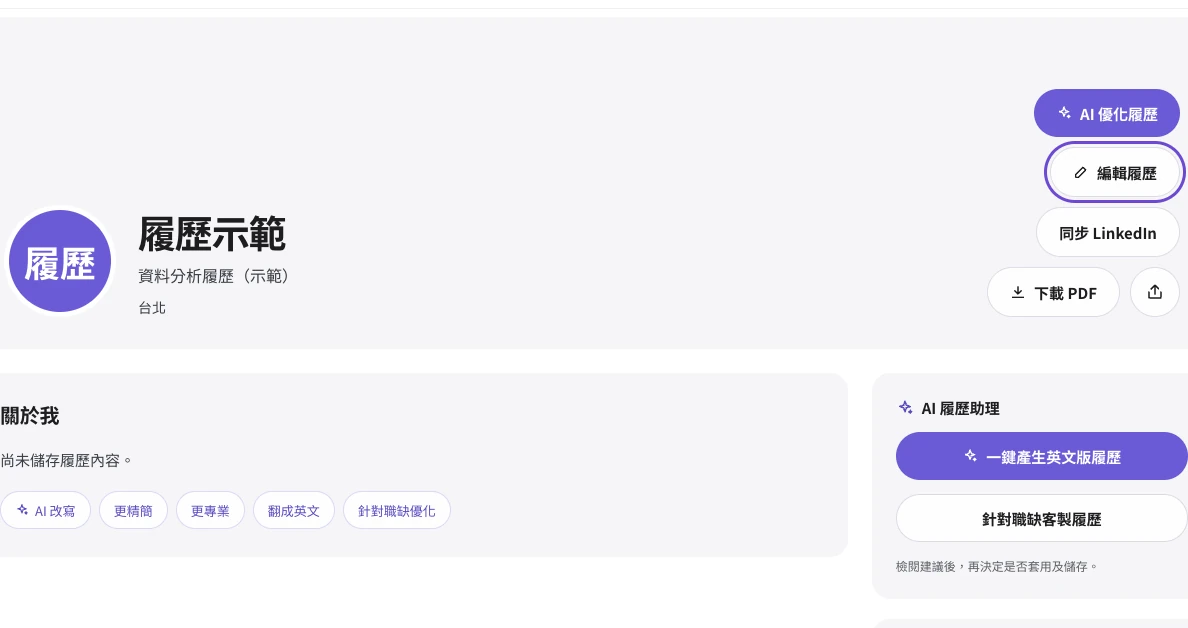
- Open My profile and edit the resume and job preferences for the current language.
 View full size
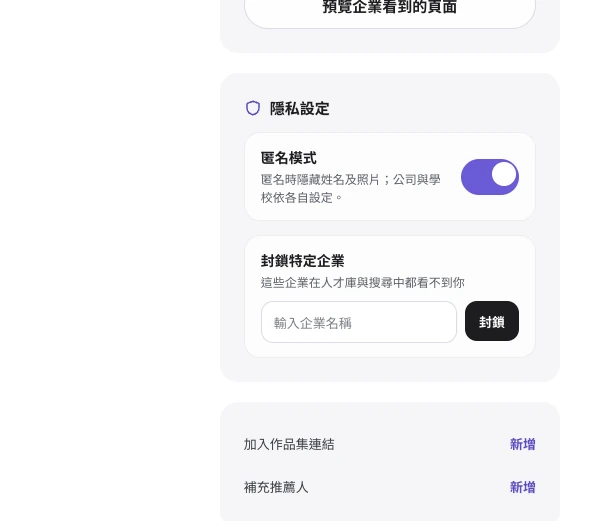
Example · Open “Edit résumé” from your profile to edit content and preferences for the current language. - Review directory visibility, anonymity, hidden fields, salary visibility, and company blocks, then save.
 View full size
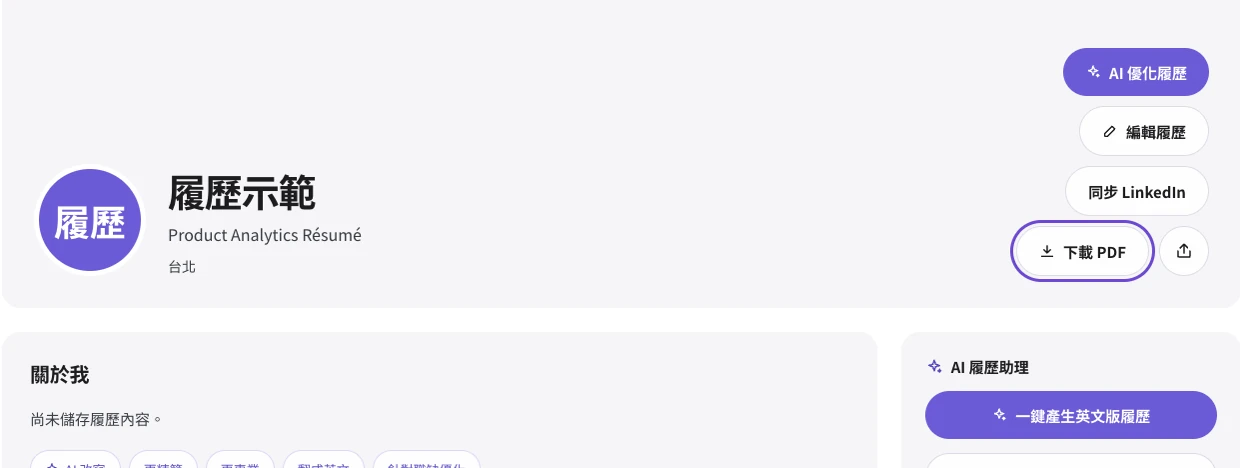
Example · Use the privacy controls in the résumé sidebar to review visibility and manage company blocks. - To print your saved resume, use Print on your own profile and continue in the browser print dialog. Before sharing with an employer, review the scope on the specific application or invitation.
 View full size
Example · Use “Download PDF” on your own résumé to open its print view, then print or save through the browser.
Check the result
You can reopen your saved resume and privacy settings or print from your own profile.