Create a digital card and choose what to share
As the cardholder, choose the contact details available through your link or QR.
Steps
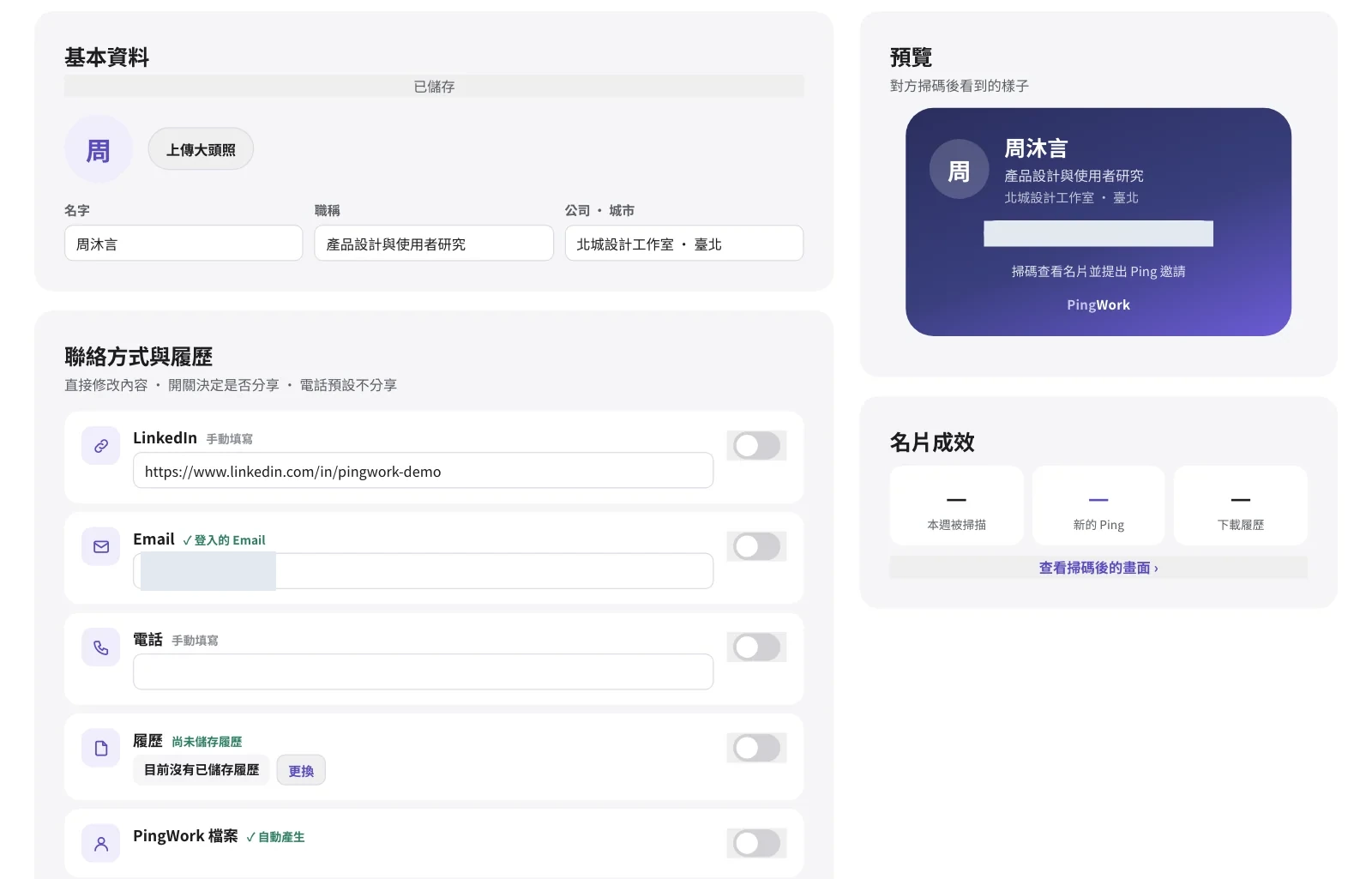
- Open My digital card, edit your shareable details, and review each contact field and how incoming Pings will be accepted.
 View full size
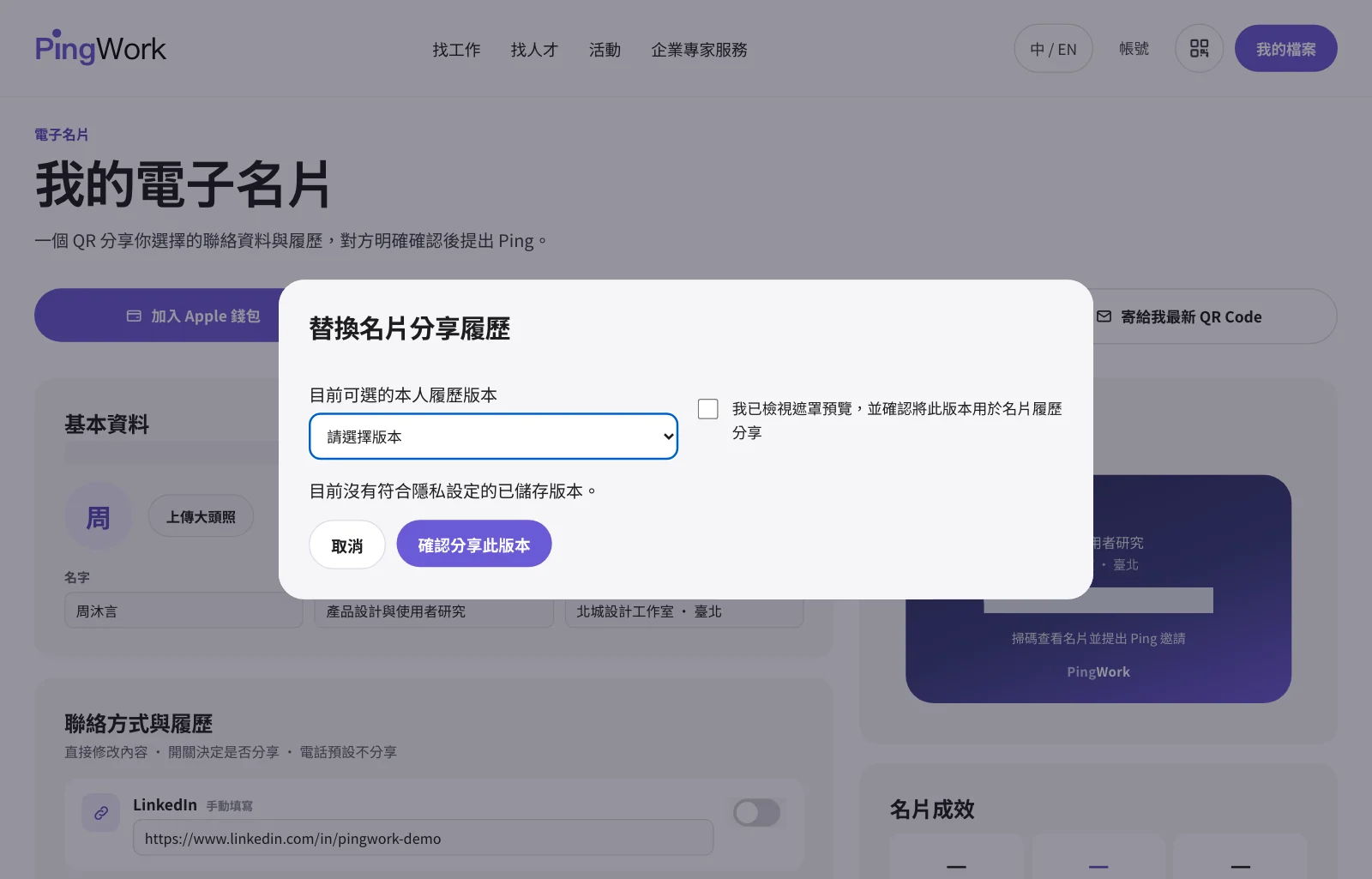
Example · Edit your name and headline, then review each contact detail you want to share. - To include a résumé, select one of your saved versions, review the masked preview and choose Confirm this sharing version. Leave sharing off if you do not want to include a résumé.
 View full size
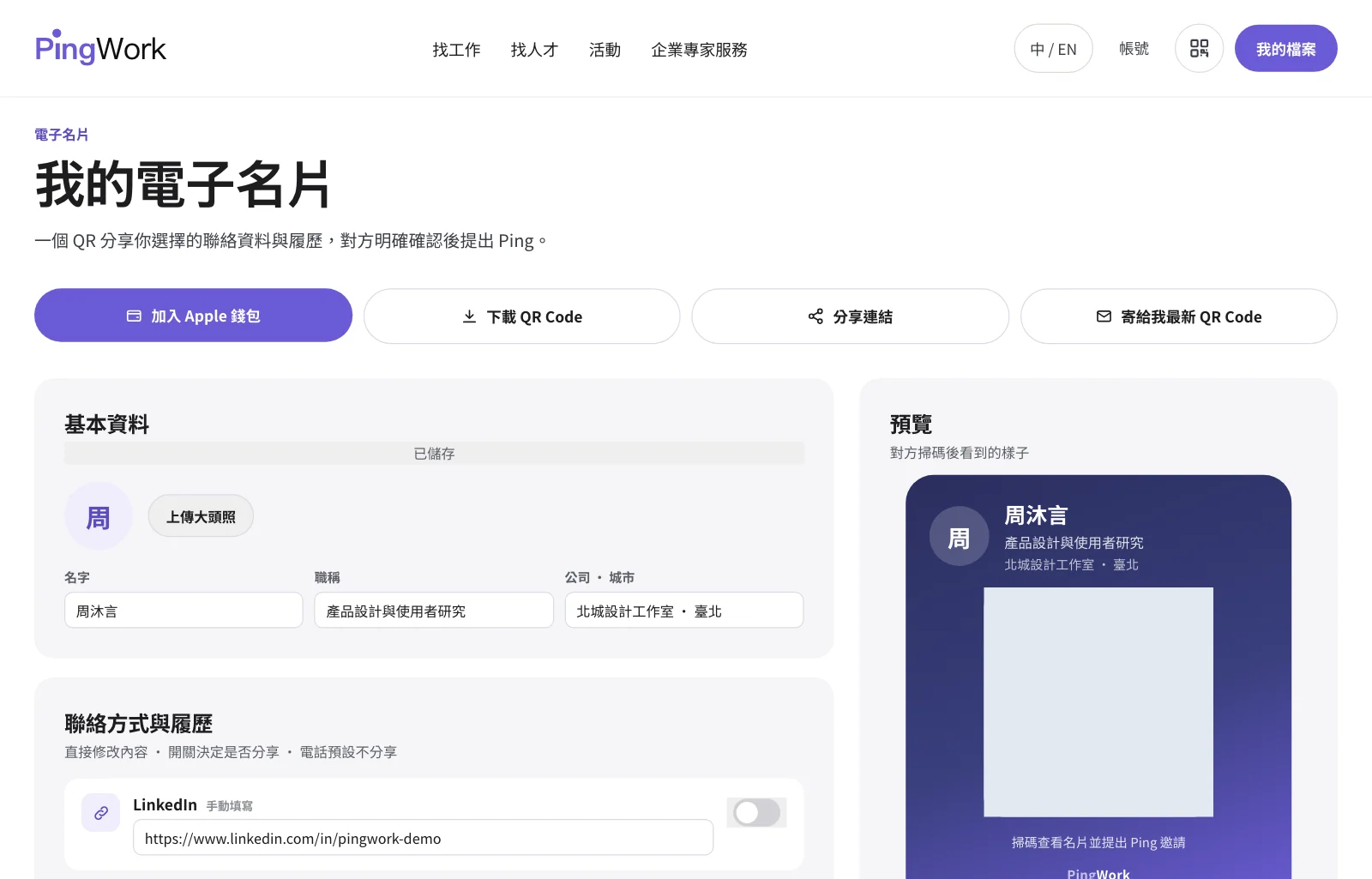
This example has no saved résumé that meets the privacy settings. When a version is available, review its masked preview before confirming. - Save before copying the card link or downloading its current QR. Review the preview again after privacy changes.
 View full size
Example · After saving, use Download QR or Share link. The sample QR is masked.
Check the result
A scanner can view the currently authorized fields and résumé version and can request a Ping according to your settings.