Apply on an employer’s site from Taiwan Next
Some Taiwan Next employers accept applications on their own careers sites. Open the employer’s application page from the job listing.
Steps
- Open the Jobs tab on the Taiwan Next Talent page and filter by work location.
 View full size
Select United States in Jobs to see positions matching that location. - Find the role you want. If it has an “Apply on employer site” link, follow it.
 View full size
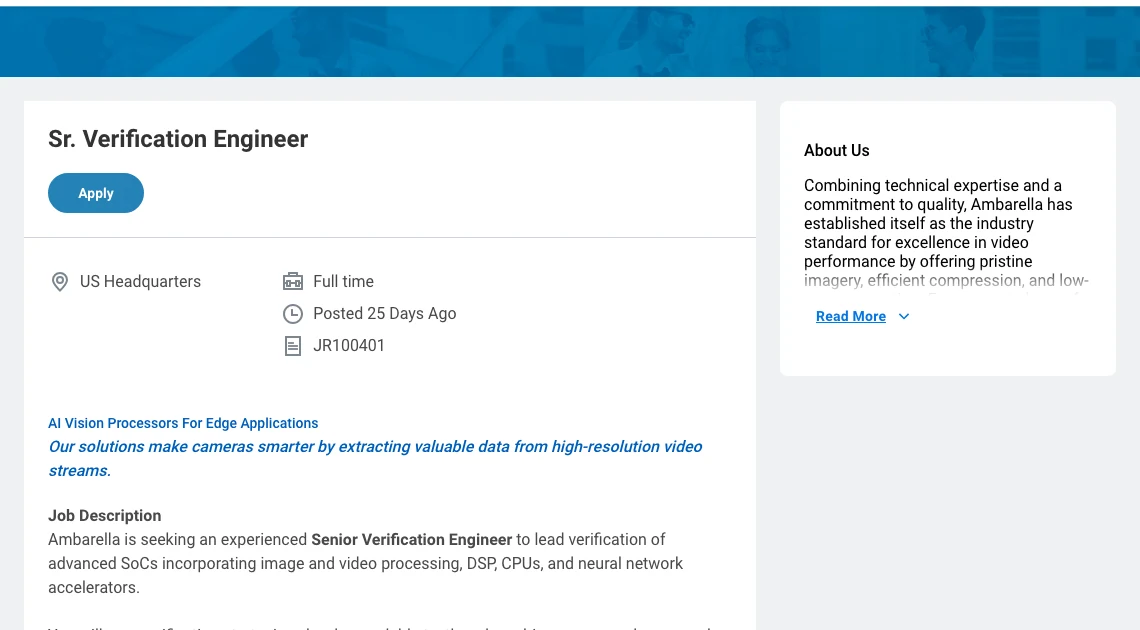
Check the role, then choose Apply on the employer site on its card. - Check the title and location on the employer’s site, along with the closing date if one is listed. If applications are open, follow the site’s instructions to sign in or fill in your details. After submitting, look for a confirmation on screen or in a notification.
 View full size
The employer site lists Sr. Verification Engineer and US Headquarters. Check the title, location and application option here.
Check the result
For an external application, look for confirmation on the employer’s site or through the method it provides. Applications submitted in PingWork appear in “My applications.”