Compare employer and mentor plans
Use the plans page to compare features and audiences. Visible plans and purchase availability vary by account, organization, and configuration.
Steps
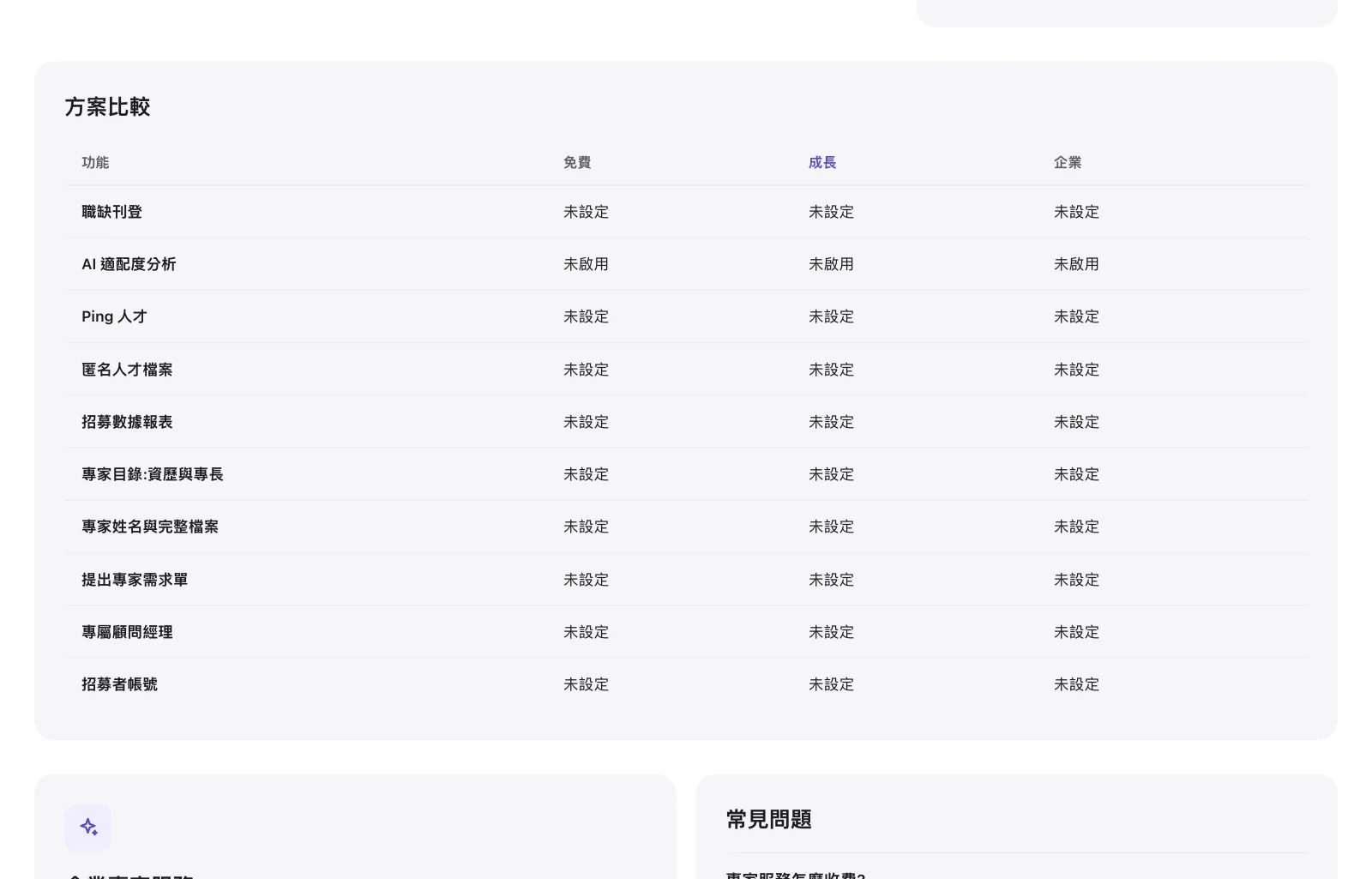
- Open Pricing and review the comparison and FAQ for recruiting search, contact access, and expert services.
 View full size
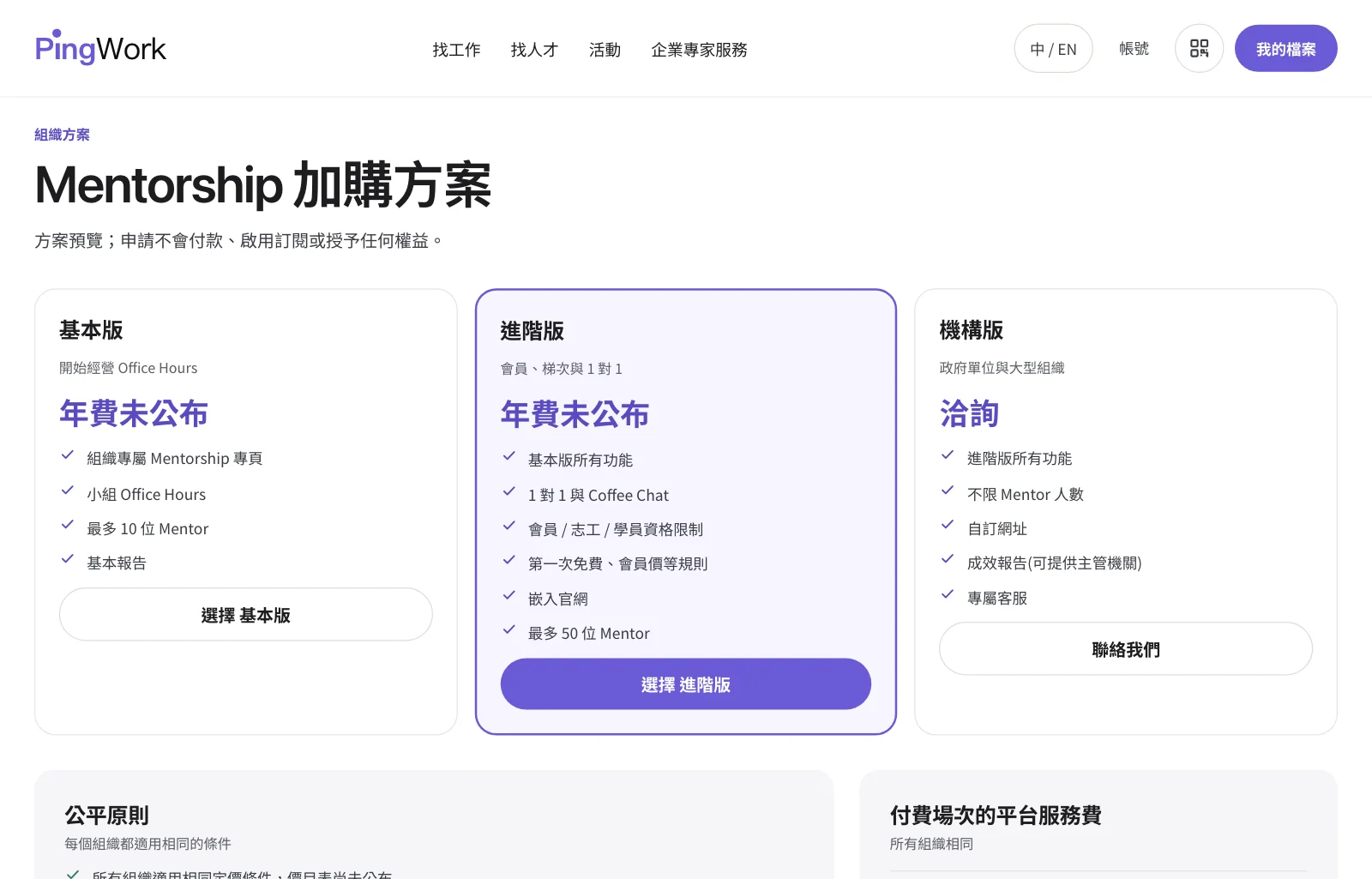
Example · Review talent search, contact limits and expert services in the comparison, then scroll to the FAQ. - For mentorship plans, use the plans link in Mentorship and check the items shown for your account.
 View full size
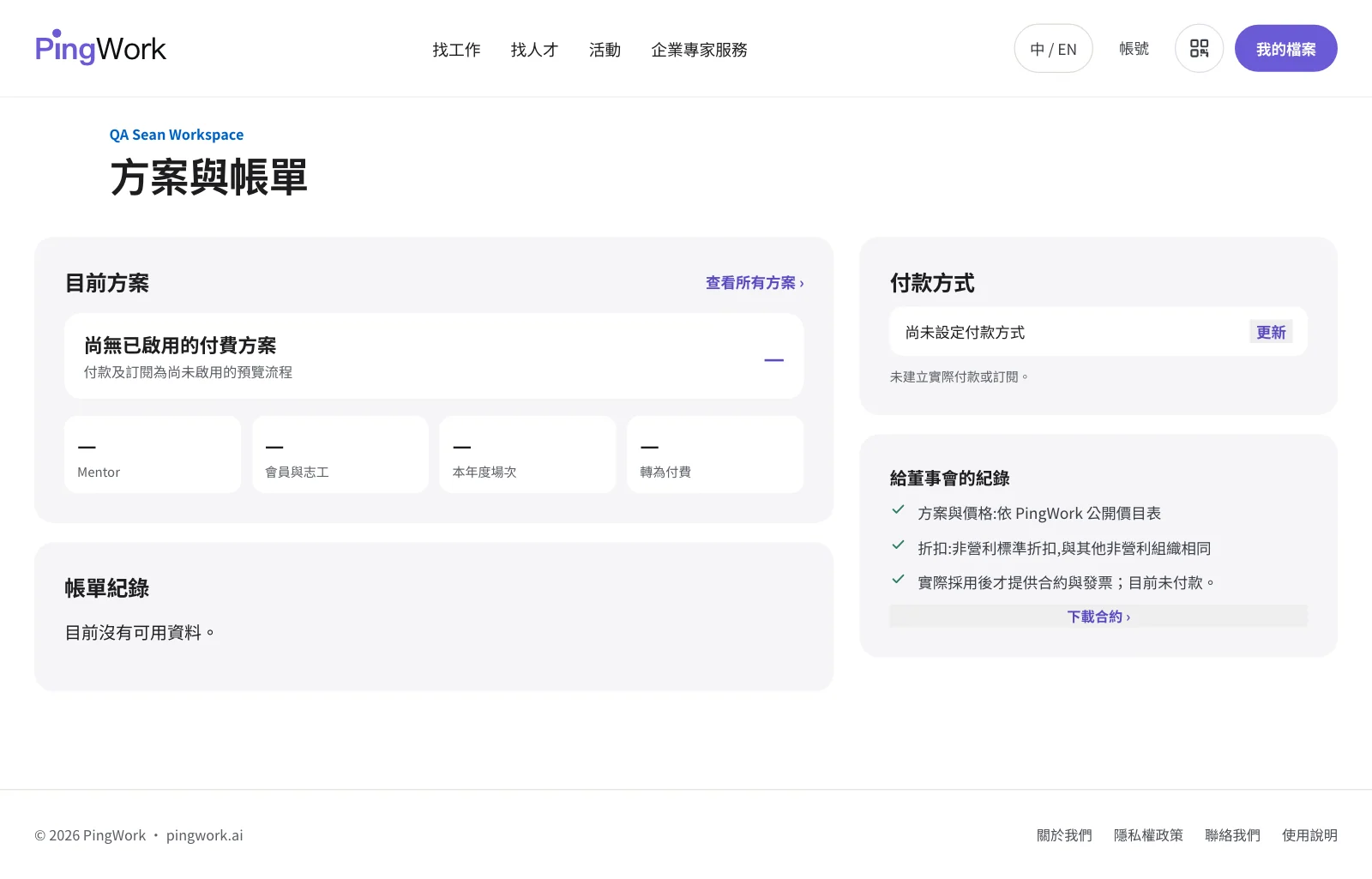
Example · The mentorship add-on page previews the listed tiers, their features and available options. - To verify existing company entitlements, have an authorized user open billing for the correct organization.
 View full size
Example · Confirm the organization and current plan on the billing page, then review the entitlements below.
Check the result
Use the comparison and current entitlements to choose your next action. If no plans are published, the page will show the current state.