View your company plan, billing, and subscription status
Use a company owner account or an account with billing access to check plans and billing for the selected company.
Steps
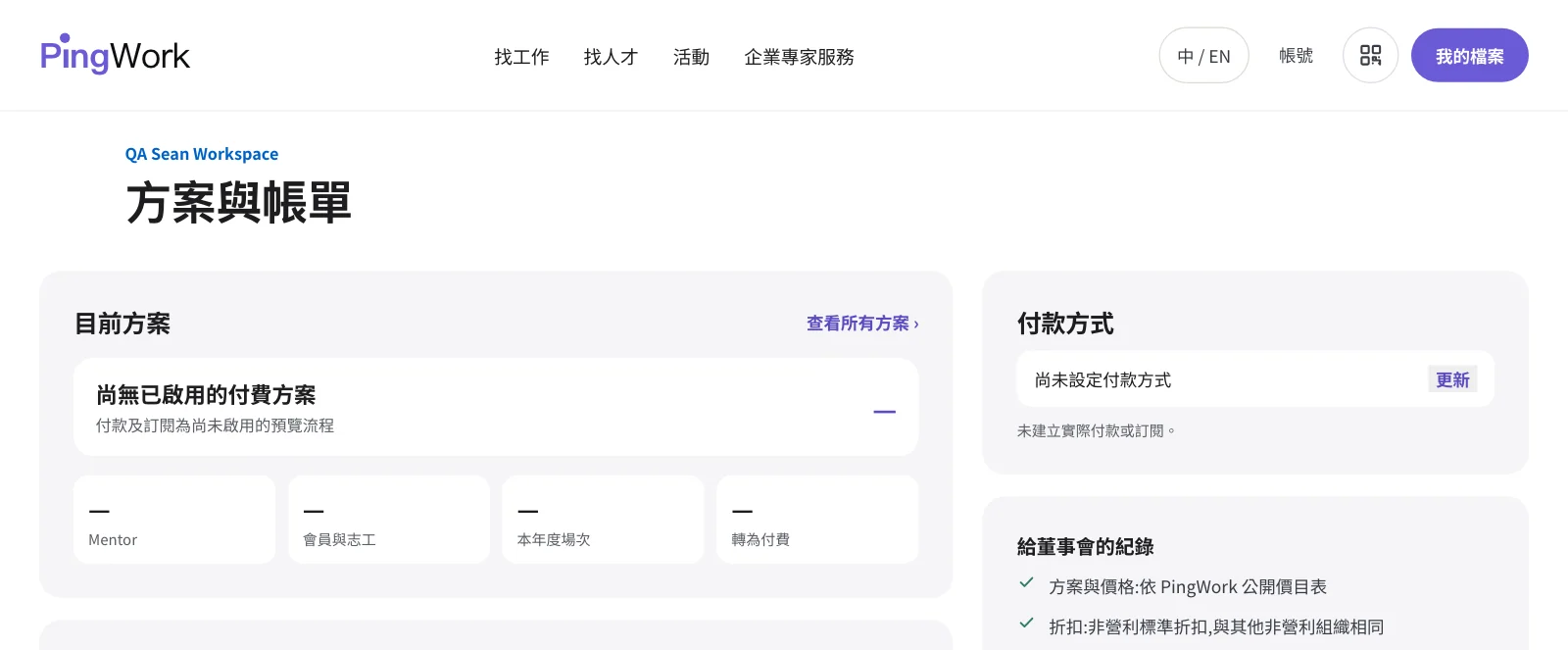
- Sign in as the owner or an authorized user, confirm the organization, and open company billing.
 View full size
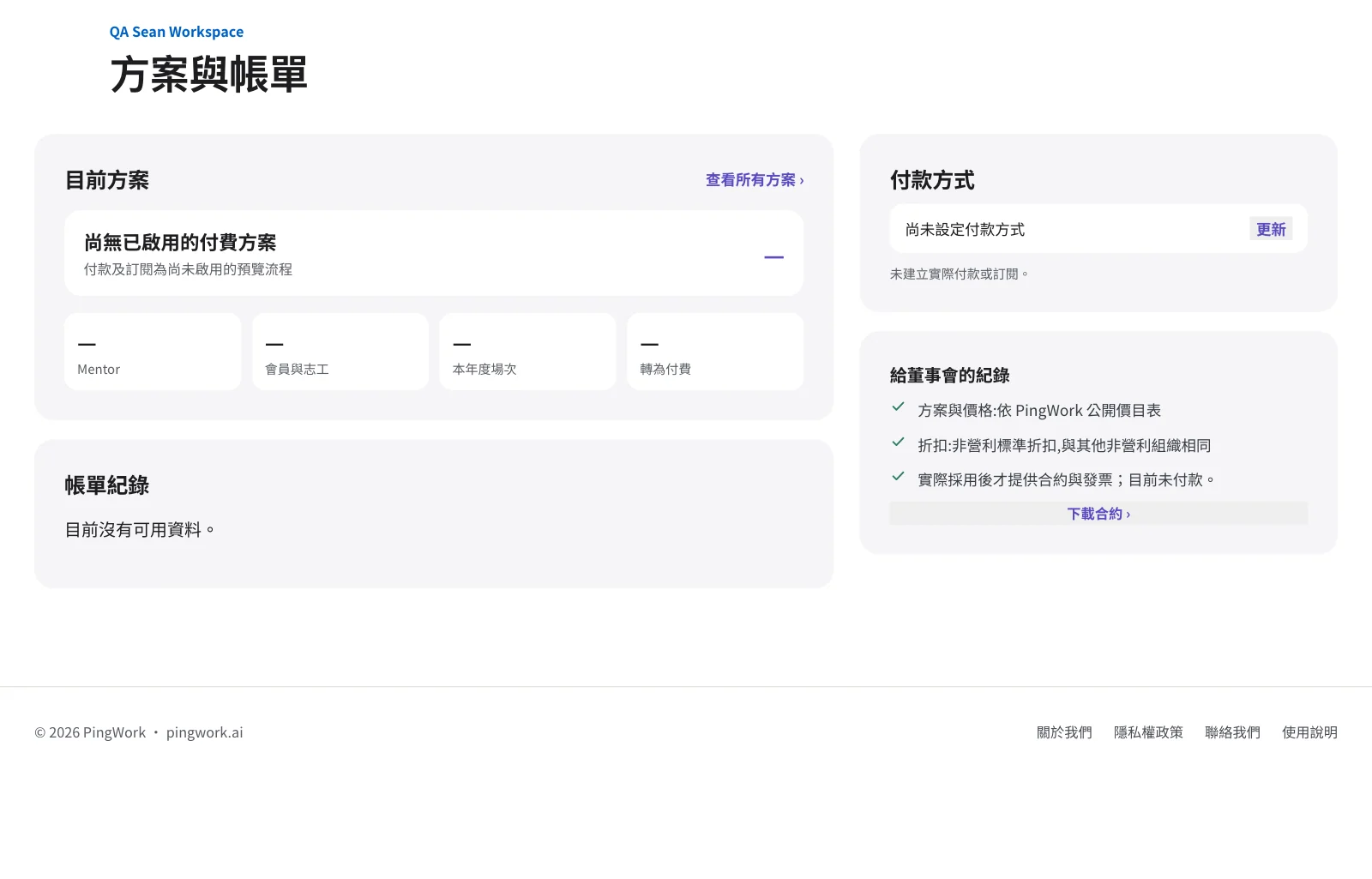
Example · The top of company billing shows the current organization and plan. - Review the current entitlements and subscription state. Subscriptions not available means checkout has yet to be enabled.
 View full size
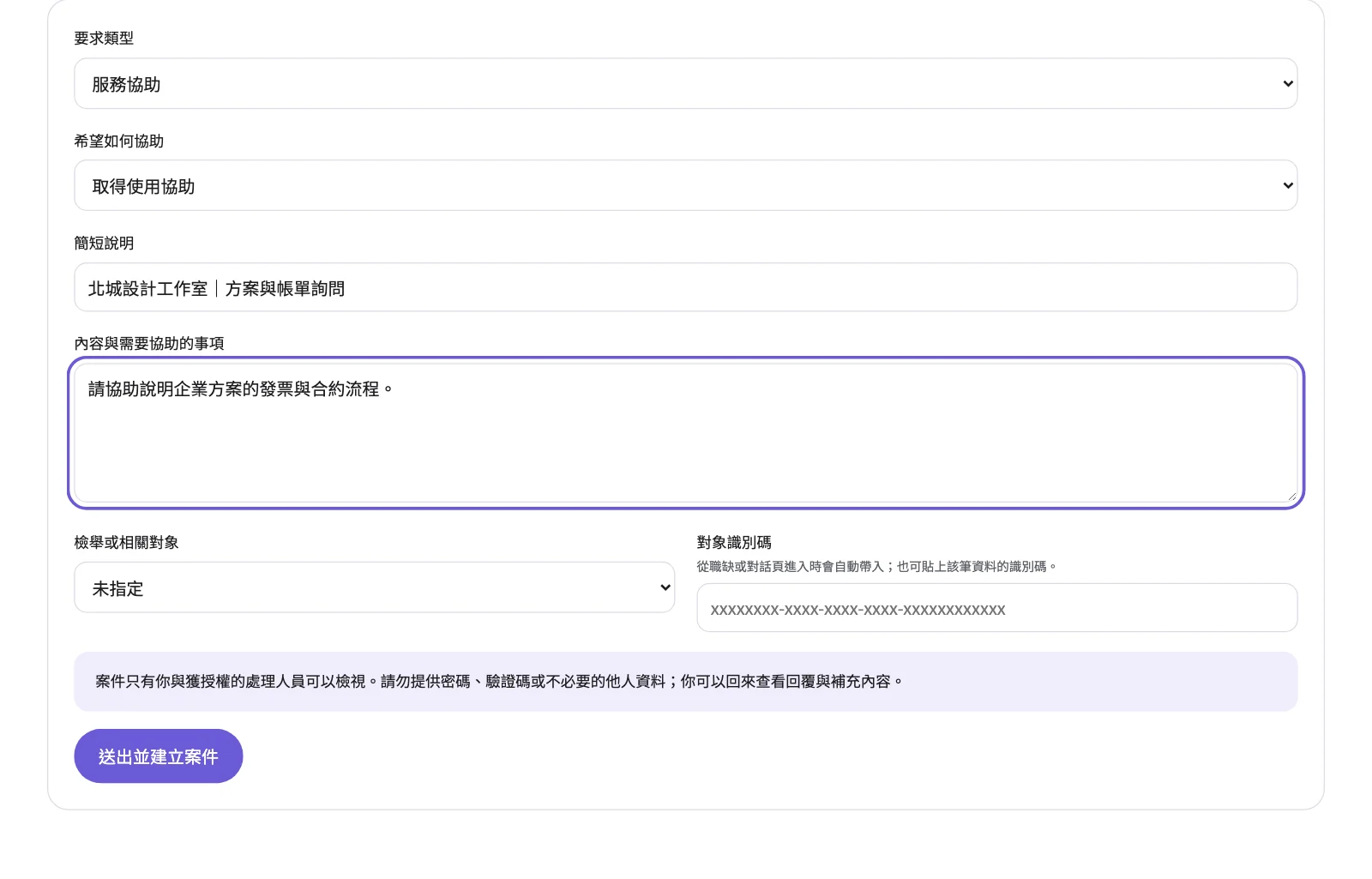
Example · The current plan and subscription area shows the activation state and checkout availability. - For billing, invoice, or contract questions, use the app’s contact or case entry with the organization and plan name.
 View full size
Example · Choose support in service cases, then include the organization, plan and billing question.
Check the result
Use “Plan & billing” to check the selected company’s entitlements and subscription status.