Publish, pause, resume, or close a job
Publication applies to a specific saved revision.
Steps
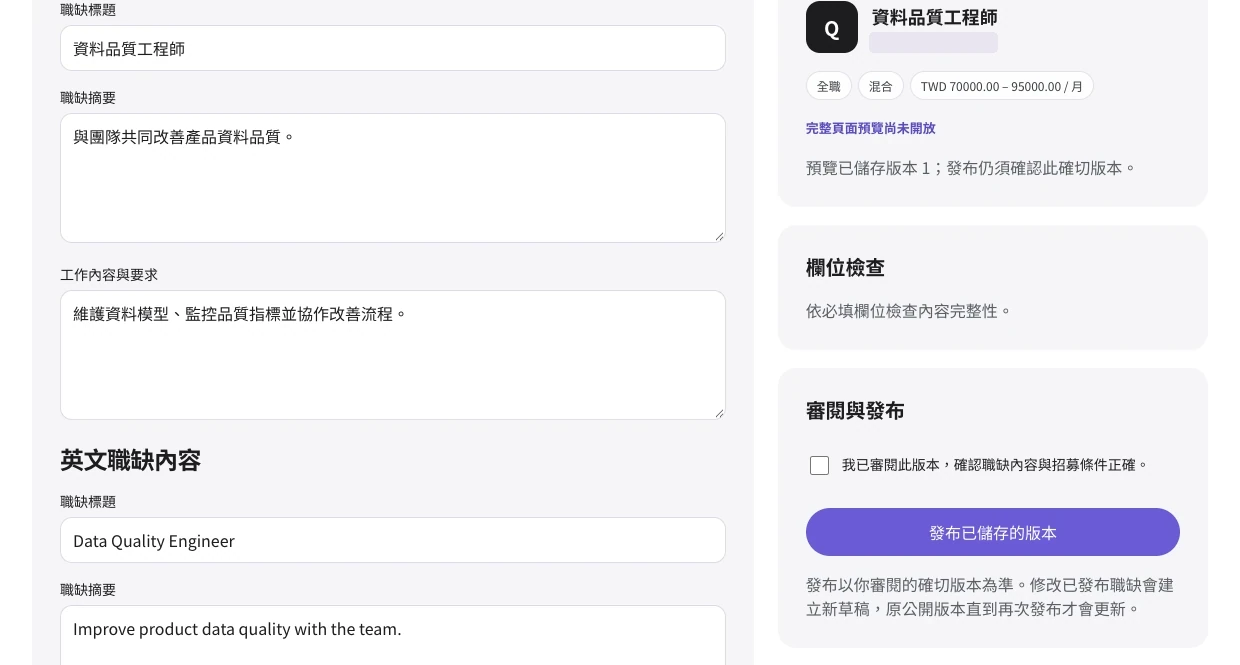
- Open the draft and check the job title, responsibilities, location, and salary in both languages. Save the version you want to publish.
 View full size
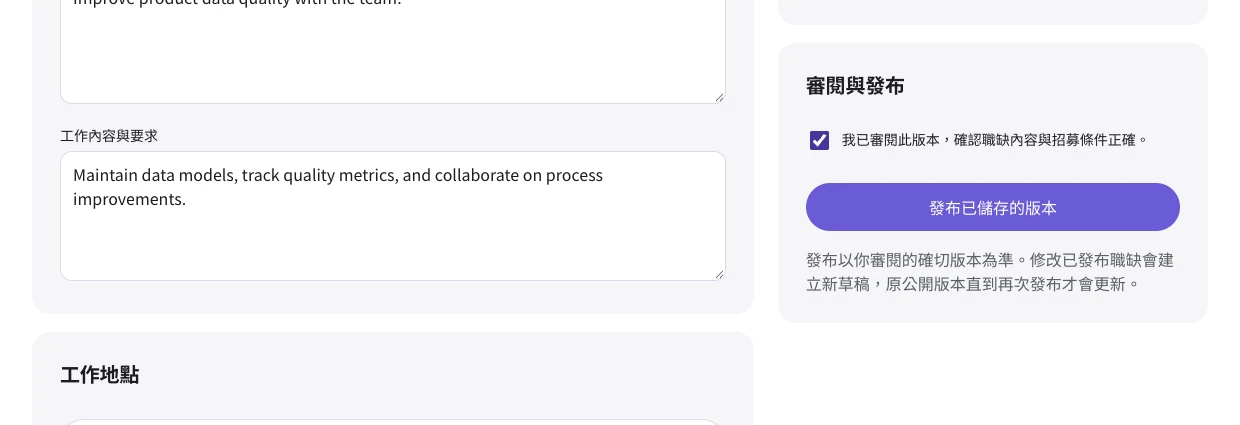
Example · Check both language versions of the title, description, and related details in the saved draft. - Confirm your review, select “Publish saved version,” and check the public listing. If a version conflict appears, load the current version and compare it with your edits.
 View full size
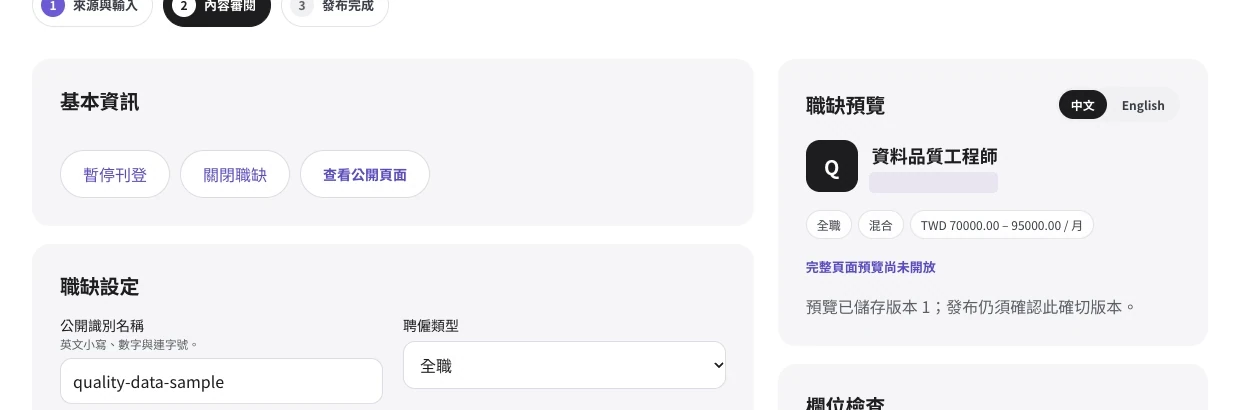
Example · Confirm your review and use “Publish saved version” to publish that revision. - Choose “Pause listing” for a temporary break and resume when ready. To end recruitment, choose “Close job” and confirm.
 View full size
Example · Use listing controls to pause or close a published job. A paused listing can be resumed.
Check the result
Check for Published, Paused or Closed. If the result is unclear, reopen the original job to read its state.