Start a job draft from text, a file, a URL, or a template
Open Post a job in a company where you have recruiting access.
Steps
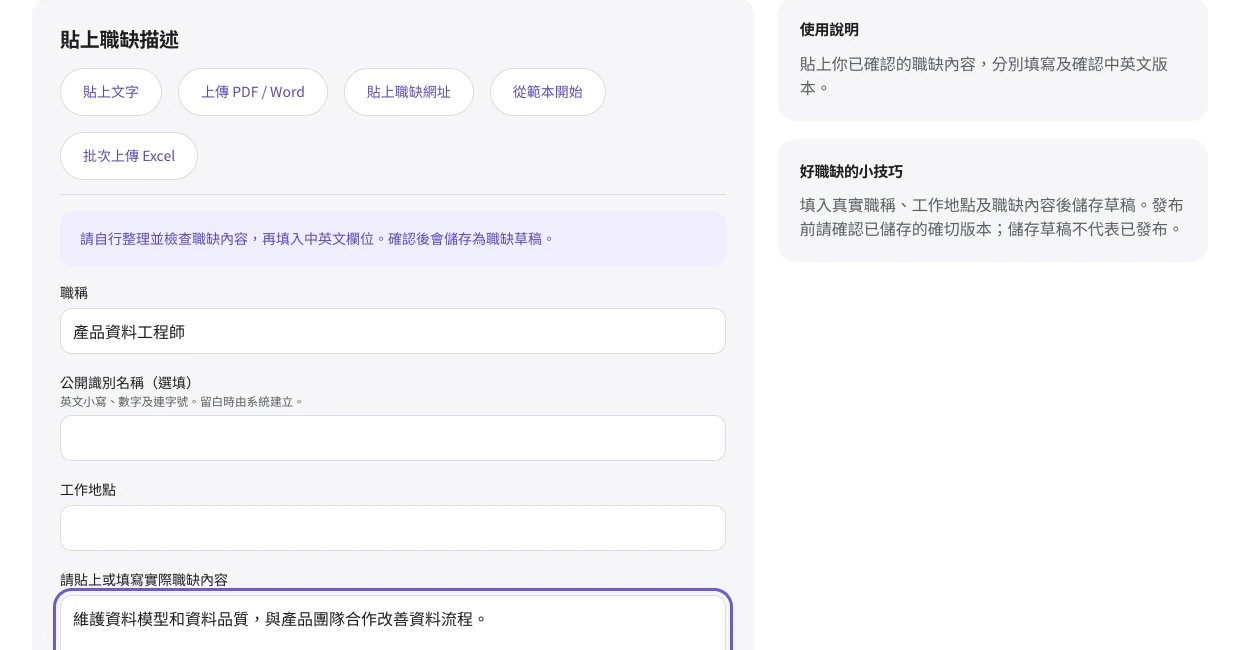
- In “Paste a job description,” enter the job title and responsibilities. In “Start from a template,” replace the prompts with the actual job details.
 View full size
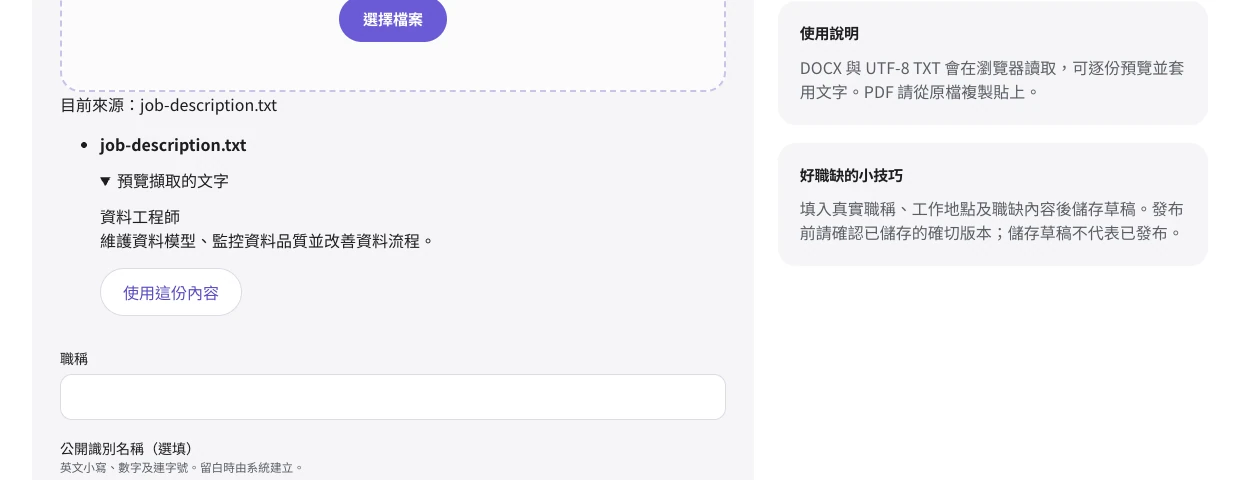
Example · Start with a pasted description or template and add the title and responsibilities. - In “Upload a job file,” choose a valid DOCX or UTF-8 TXT file. Review the extracted text before selecting “Use this content.” For PDFs or unreadable files, open the original and paste the text you need.
 View full size
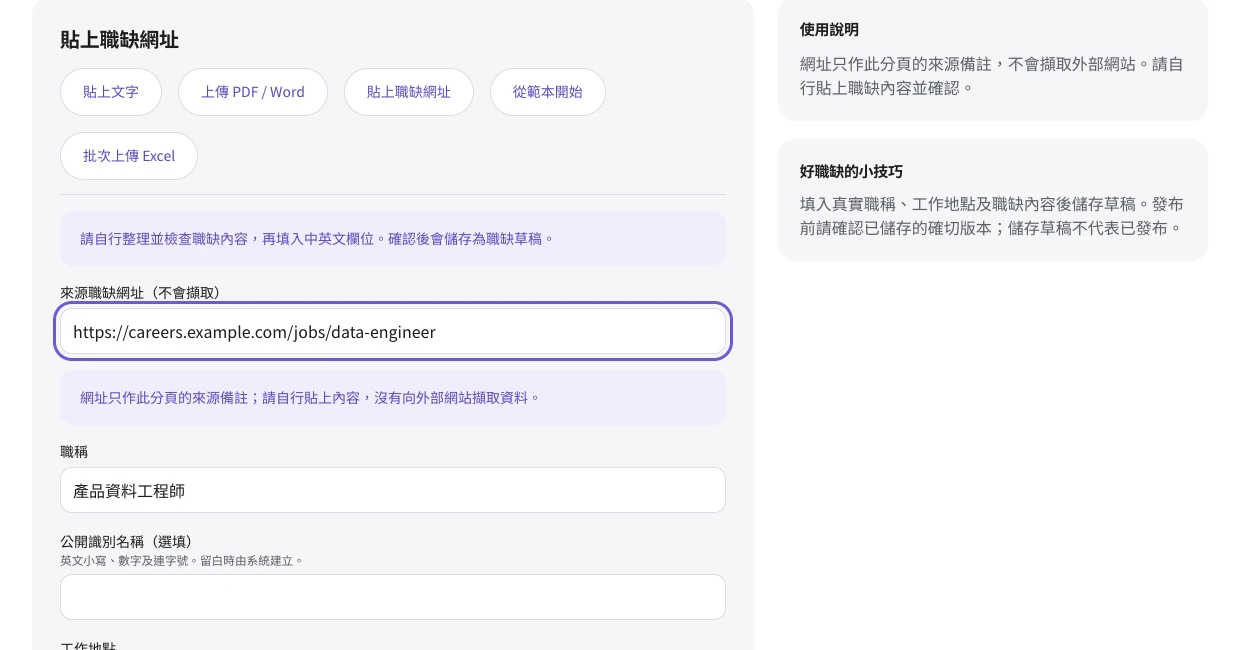
Example · Expand “Preview extracted text” on the uploaded file, verify it, and use the content. - In “Paste a job URL,” keep the URL as a source note in this tab and paste the job description yourself.
 View full size
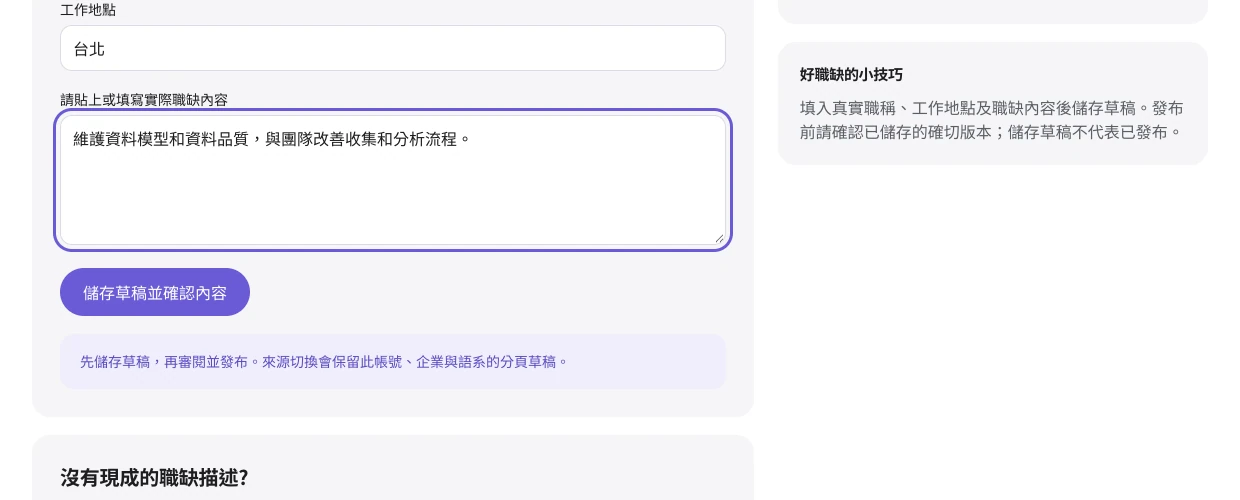
Example · Keep the URL as a source note, then paste the job description manually. - Complete the known fields such as location, check the Chinese and English content, and save the job draft.
 View full size
Example · Complete the location and description, then choose “Save draft & review.”
Check the result
Reopen the saved draft to edit its Chinese and English content and prepare it for review.