Find talent and send a recruitment invitation
Talent search and outreach depend on your organization role and entitlements, and on the candidate’s visibility and sharing choices.
Steps
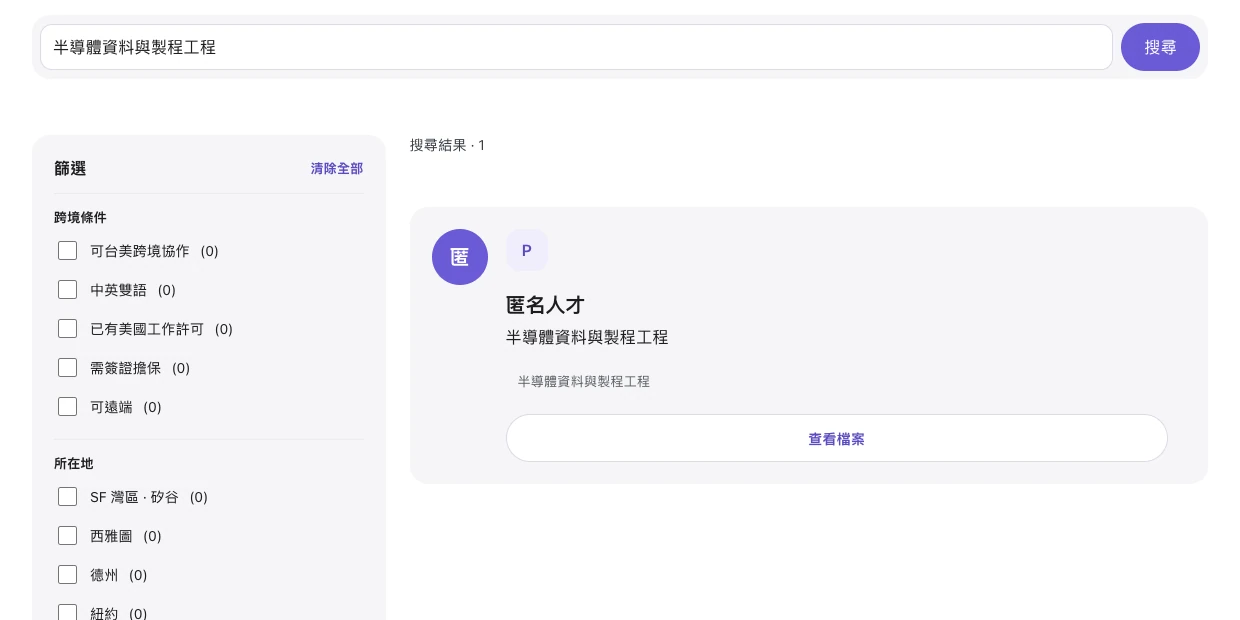
- Sign in, check the selected company, and use keywords or filters in the talent directory.
 View full size
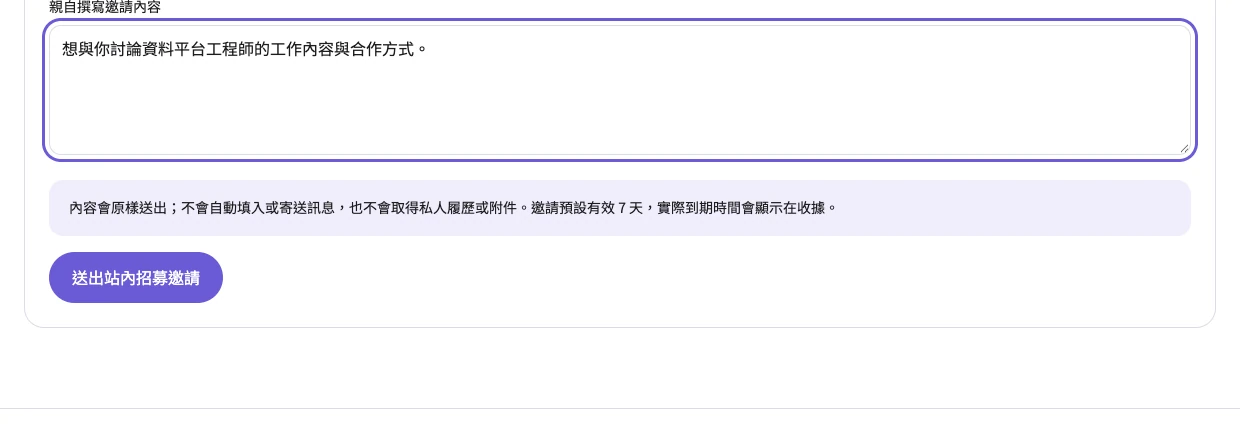
Example · Enter a keyword in the talent directory and narrow the results with filters. - Open a talent profile. If “Invite to discuss a job” is available, choose a job you manage and review the recipient and message before sending.
 View full size
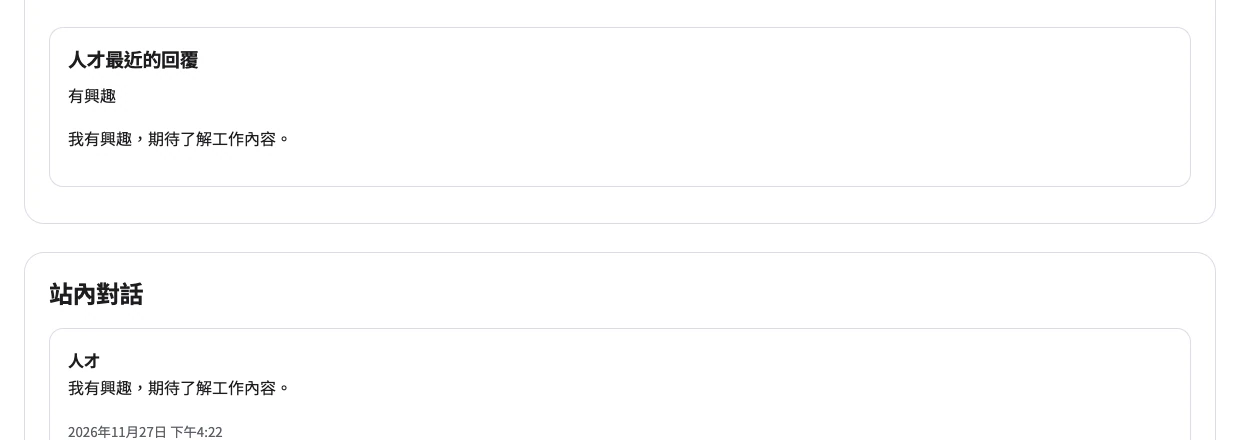
Example · Verify the talent profile and a job you manage, then compose and send the in-app invitation. - Check for a reply in PingWork. If the recipient shares a résumé or contact details, use them within that consent.
 View full size
Example · Read the reply and available interactions in the same recruiting invitation.
Check the result
If the recipient accepts, use the interactions provided. Profile, résumé, and contact visibility each follow the relevant sharing permissions.