Review a candidate’s application
Access to an application depends on the job and the candidate’s current authorization.
Steps
- Select the company and job in your hiring workspace, then open “Candidates” and select an application.
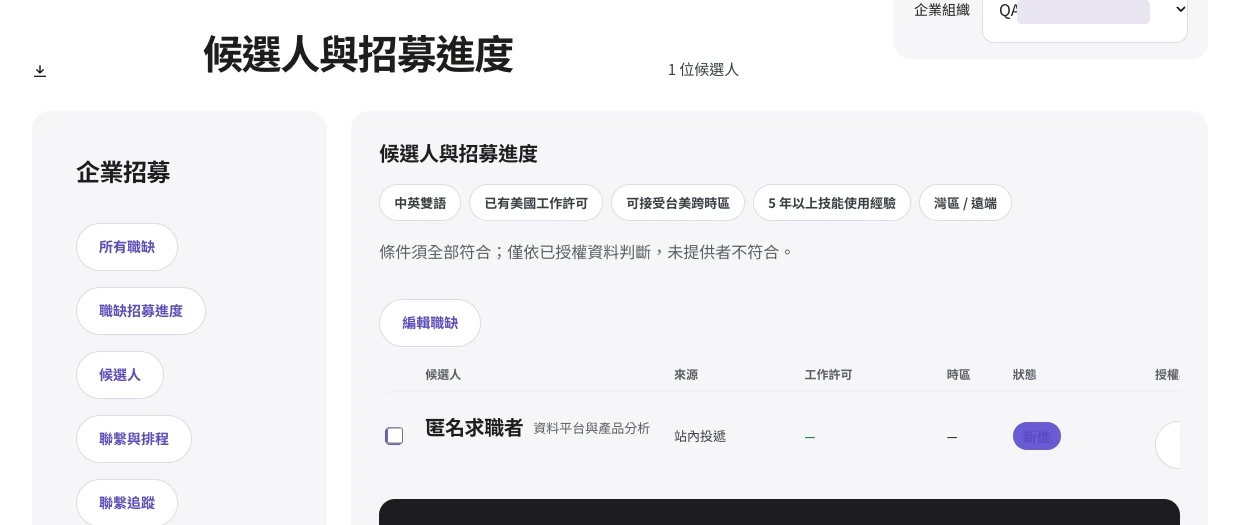 View full size
Example · Open an application from the selected job’s “Candidates” list. - In “Candidate resume,” review the résumé version, cover note, and answers authorized for this submission. If access has been withdrawn or restricted, use the information still available to you.
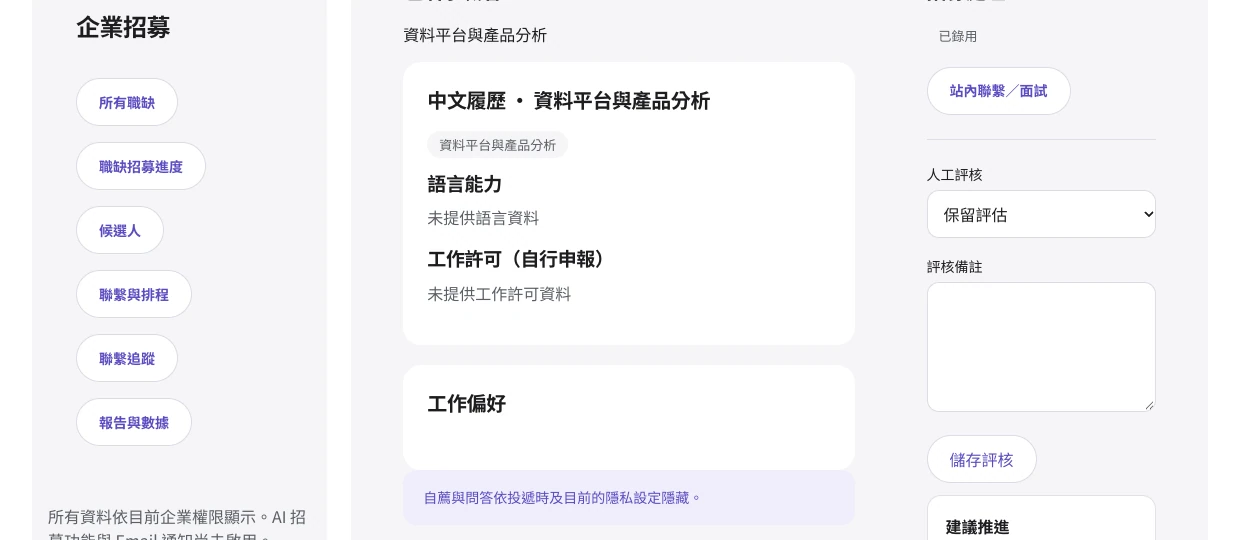 View full size
Example · “Candidate resume” displays still-authorized data and shows when privacy settings withhold the cover note and answers. - Check the current stage in “Recruitment actions.” To contact the applicant, choose “Messages / interviews.”
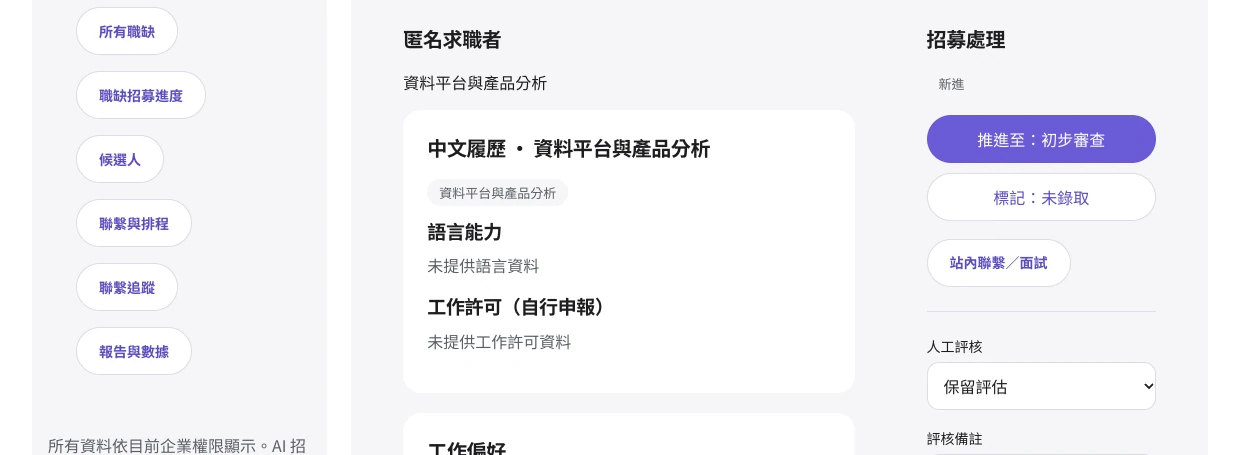 View full size
Example · Check the stage in “Recruitment actions” and open “Messages / interviews” to contact the applicant.
Check the result
The application shows the candidate’s current stage and the materials you are authorized to view.