Choose an appointment time from a booking link
Use the host’s booking link or the booking option on a published mentor profile.
Steps
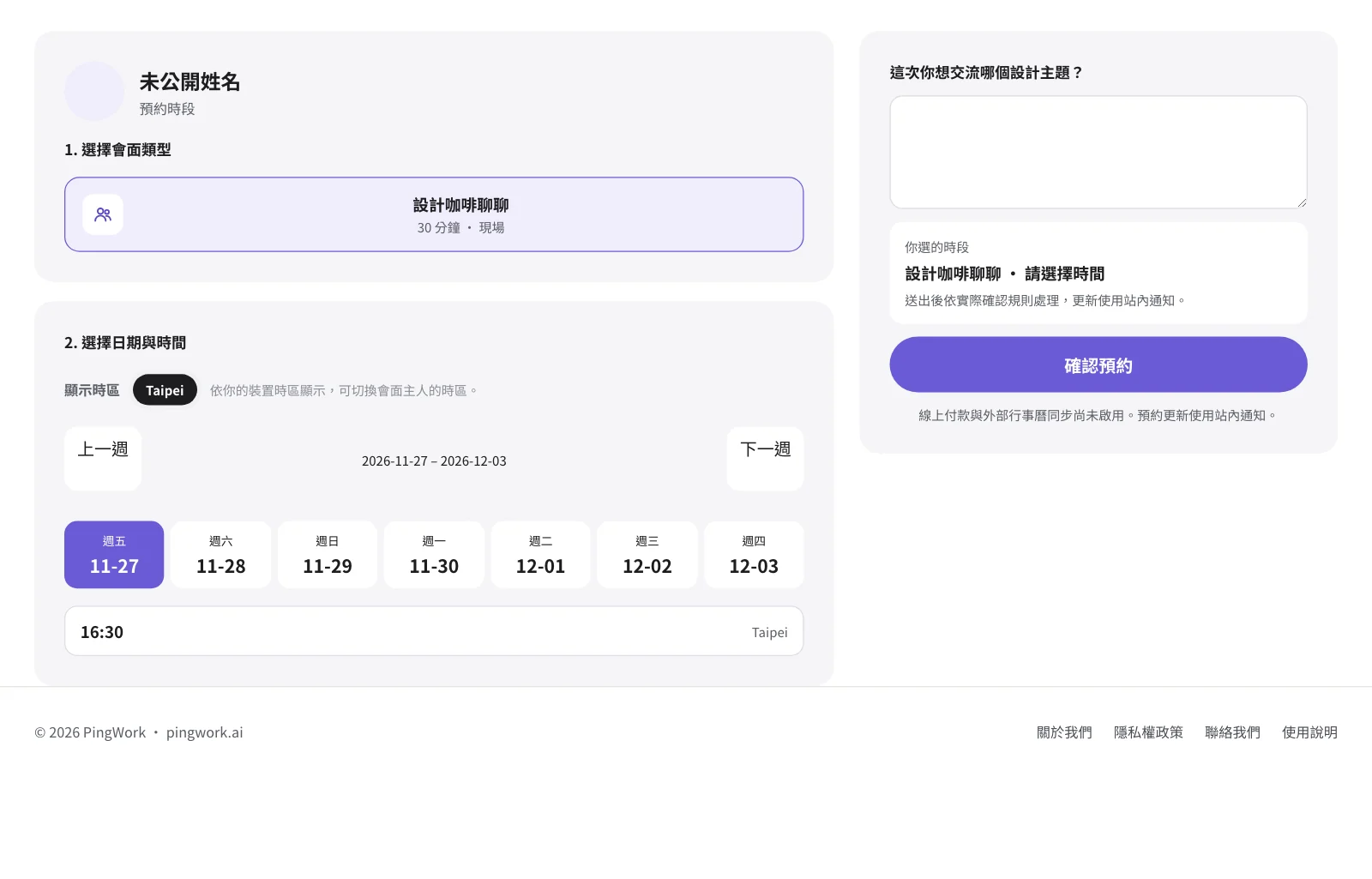
- Check the host, appointment type, displayed time zone and duration. Select an available slot.
 View full size
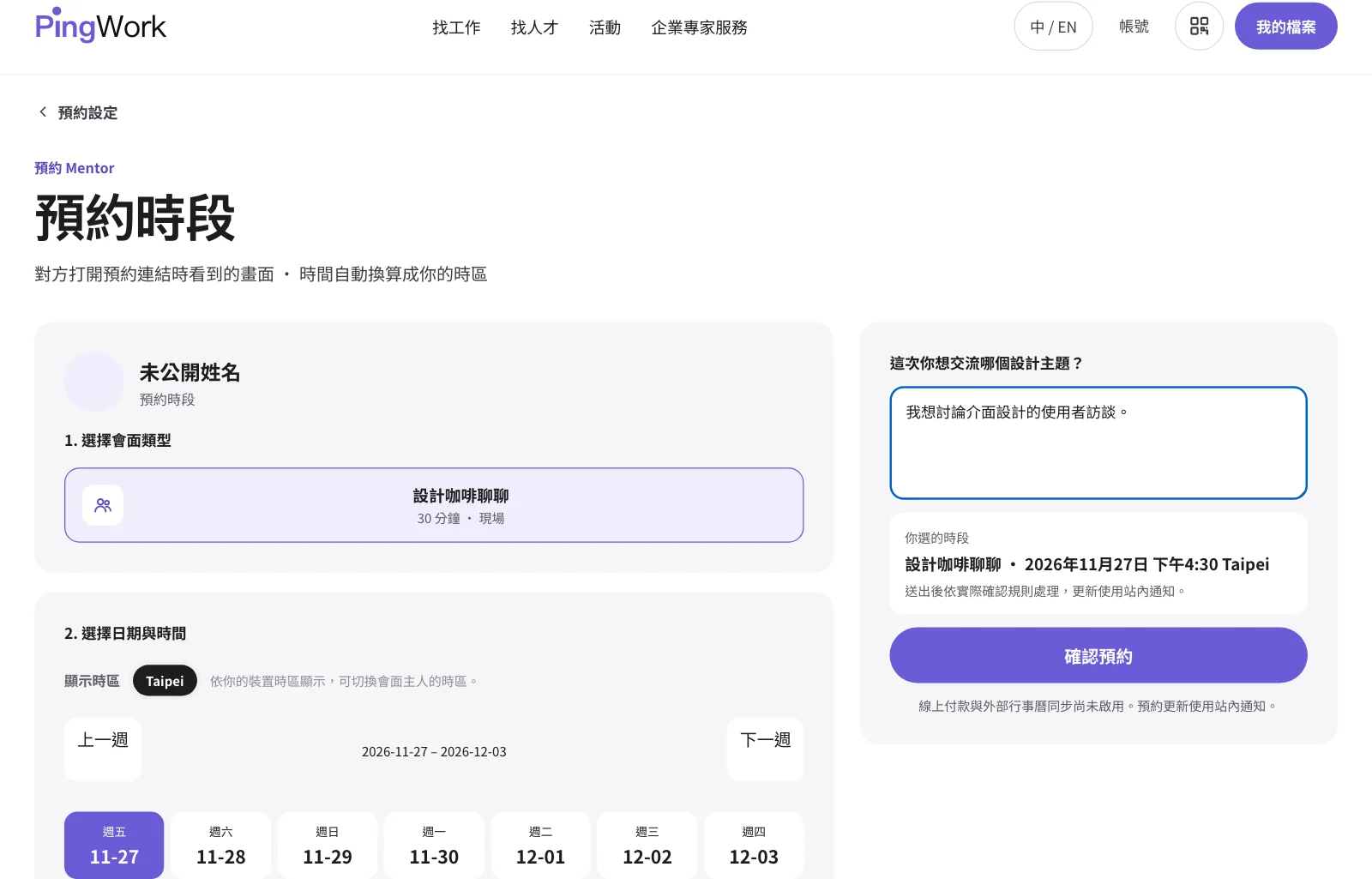
Example · Check the meeting type, time zone and duration, then select an available time. - Answer any required questions. If sharing a résumé, review the scope and confirm the selected version before choosing Request booking.
 View full size
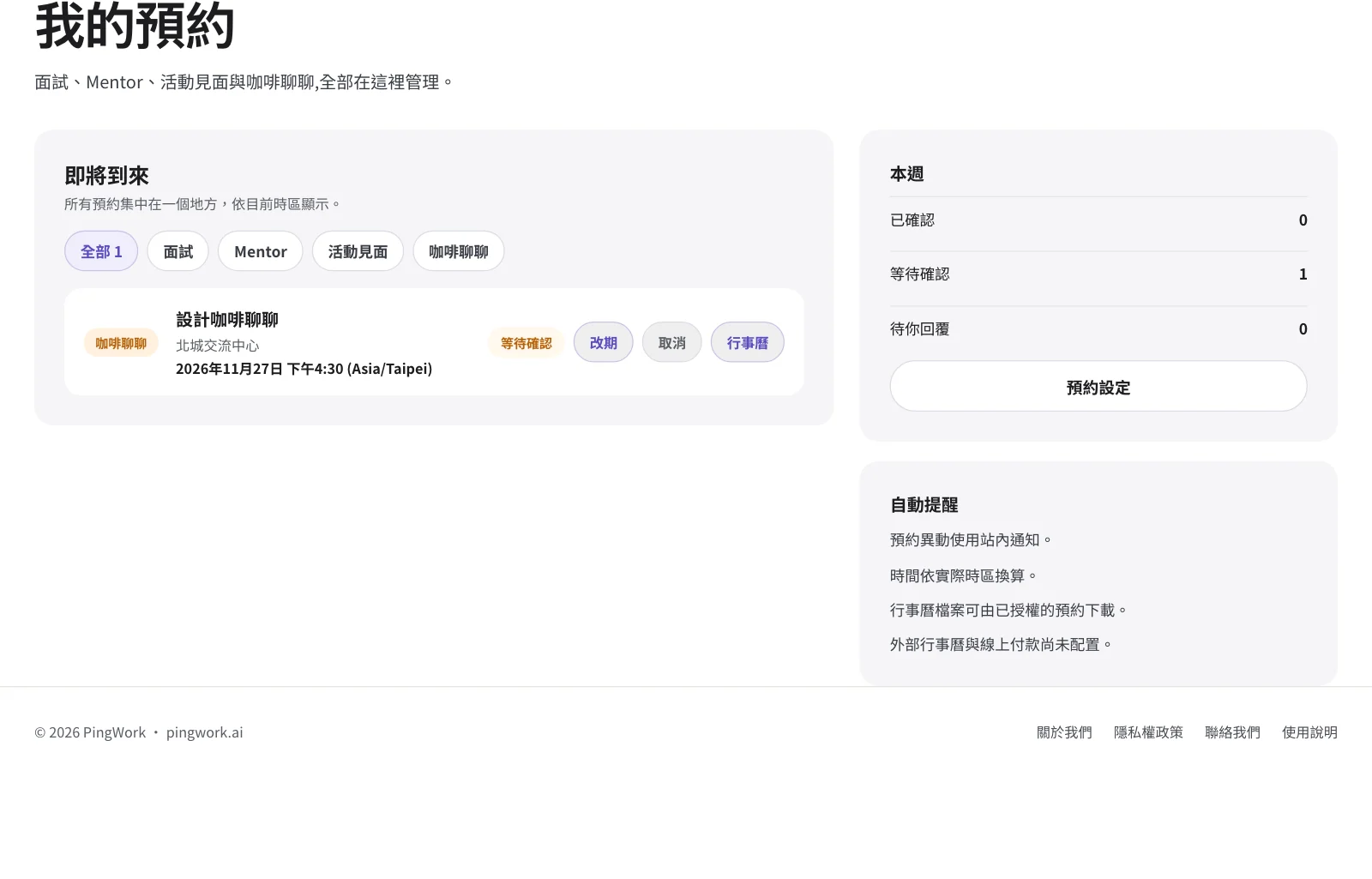
Example · Answer the host’s question, then select Request booking. If you attach a résumé, review its sharing scope before sending. - Read the submission status, then check the time and any pending response in My bookings.
 View full size
Example · Check the requested meeting’s date, time and pending response in My bookings.
Check the result
The booking shows either confirmed or awaiting a response. Treat it as pending until confirmation appears.